
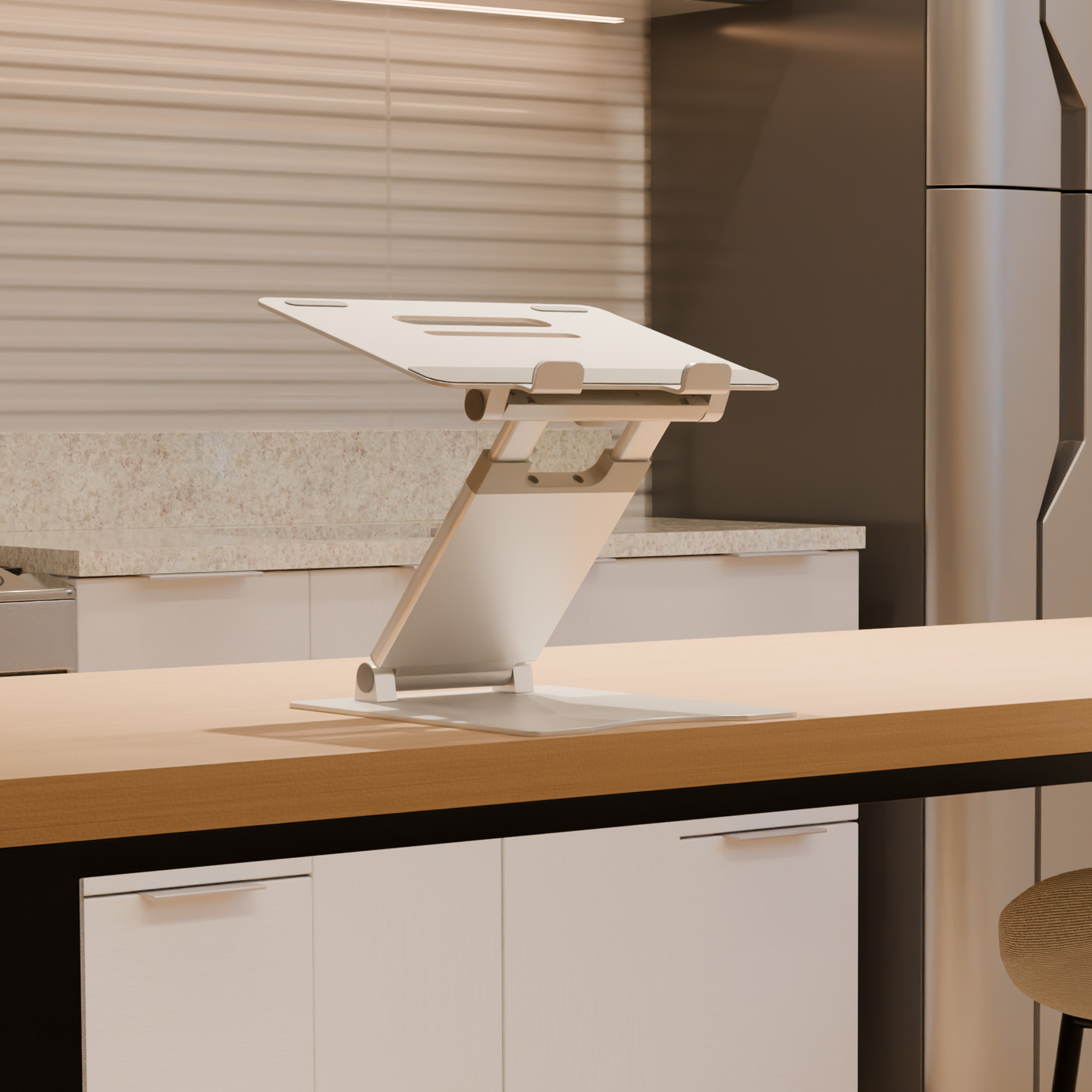
Your needs, this model
Does it fit your priorities?
How high can I set the VariDesk Laptop Stand?
Vari's specification sheet lists an overall stand-height range of 2.25–12.5 inches. The manual says to hold the button under the work surface while lifting or lowering it, but it does not give a screen-lift figure for each laptop or a table of intermediate settings. Measure your desk and compare the resulting screen position with your own device; do not treat the stand's height range as a guaranteed display lift.
Explore this need in the finder →Will the 403285 fit my particular laptop?
Vari states approximate support for most devices from 10 to 17 inches and up to 9 lb, but those screen and weight limits are not a chassis footprint chart. Compare the laptop's base, feet, case and vents with the actual support surface and the manufacturer's images; confirm a model-specific fit if the contact area is close.
Explore this need in the finder →Can I fold it for travel and adjust it again at the desk?
Vari describes this exact stand as fold-flat and height-adjustable, with an overall stand-height range of 2.25–12.5 inches. Its product page lists a 4 lb stand weight, while the sources do not provide folded dimensions or confirm a carry bag. Check the folded form against your bag and remember that the manual warns to keep fingers and cords clear of pinch points while adjusting.
Explore this need in the finder →VariDesk Laptop Stand 403285 is a small desktop platform that folds flat and raises an open laptop. The current US product page identifies a silver finish and SKU 403285; the matching specification sheet and setup instructions describe the stand's adjustment and capacity. That gives this model a clear niche: a user wants to change the laptop's height without committing desk space to a full-size riser. It is not a lap support, and Vari's document set does not provide a laptop-by-laptop fit chart.
A broad height range, with a distinction worth keeping
Vari's specification sheet gives an overall stand-height range of 2.25 to 12.5 inches. That is useful as a boundary for desk planning, but it is not a guarantee that the laptop display itself will move by those same amounts. The laptop's own thickness and hinge position change the final screen location. The sources do not break out a lift value for each intermediate position or specify a measured distance from desk to screen.
The instructions describe a button underneath the work surface: press and hold it while lifting or lowering the platform. A separate tension adjustment uses screws behind rubber caps and the included wrench. This is a more involved adjustment than moving a stand with fixed notches; the manual does not publish a step count or a simple indexed chart. If a particular screen height matters, compare the height range with your desk and laptop before relying on the product image or an ergonomic claim.
Portable in form, not especially light
The product page and specification sheet describe a fold-flat frame intended to slip into a bag, drawer or shelf. The product-page comparison table lists the stand at 4 pounds. The official materials do not give a folded length, width and thickness, and do not establish that a carry sleeve or bag is included. So the documented fold is a genuine travel feature, but bag compatibility still depends on the compartment and the 4-pound carry load. Measure the packed form yourself if space is tight; no exact travel envelope can be inferred from the phrase “fold-flat.”
Check the device as well as the screen size
Vari lists support for most laptops, tablets and devices from approximately 10 to 17 inches, with a maximum device weight of 9 pounds. Those are useful limits, not a fit promise for every machine within the diagonal range. The page does not name compatible laptop models or provide a base-width, foot-placement or vent-clearance chart. Compare the laptop's bottom panel and case with the raised platform and front stops; a wide laptop, rubber feet or a thick protective shell may rest differently from the pictured setup.
The manufacturer describes an aluminum-alloy frame, silicone pads and two airflow slots. These details explain how the stand is constructed and where the device contacts it. Vari also says the design helps keep a laptop cool, but the specification sheet is not a thermal test, and this assessment makes no temperature or stability claim. The instructions additionally caution against standing, climbing or leaning on the stand and warn that its moving parts create pinch points; keep hands and cables clear during adjustment.
Where it fits among adjustable travel stands
Compared with smaller folding frames such as the Roost V3, Vari's 403285 uses a broad base and an under-platform release button rather than a set of discrete stand positions. The Twelve South Curve Flex also folds and changes height, but its adjustment and laptop-contact details are different. The Razer Adjustable Laptop Stand has articulated hinges and its own reported measurement conflict. The common word “adjustable” does not make these mechanisms interchangeable: choose based on how the device is secured, how much stand height is documented and how you will carry the folded frame.
For the 403285, the strongest documented case is an open-laptop desk setup that benefits from a substantial height range and can tolerate a four-pound stand. It is a weaker fit when the buyer needs a known packed size, the lightest possible carry, a lap position, or exact laptop-model confirmation. The current page's Silver finish and 403285 code help distinguish the offer, but always verify the exact model, contents and return terms on the listing. This is a source-led assessment of manufacturer material, not a hands-on fit or performance test.
Key specifications
Key details at a glance
| Manufacturer-listed height range | Vari's specification sheet lists an overall stand-height range of 2.25–12.5 inches; it is not a measured screen-lift result for every laptop. |
|---|---|
| Main material | High-strength aluminum alloy with a sandblasted, anodized finish |
| Height-adjustable | Yes |
| Folds for storage | Yes |
| Supported placement | desk |
Use the exact model’s instructions for operating limits, supplied equipment and version differences.
Sources for this review
Sources for this assessment
Compare the setup, not just the silhouette
Use the finder to compare reviewed stands against the way you work and the features you actually need.