
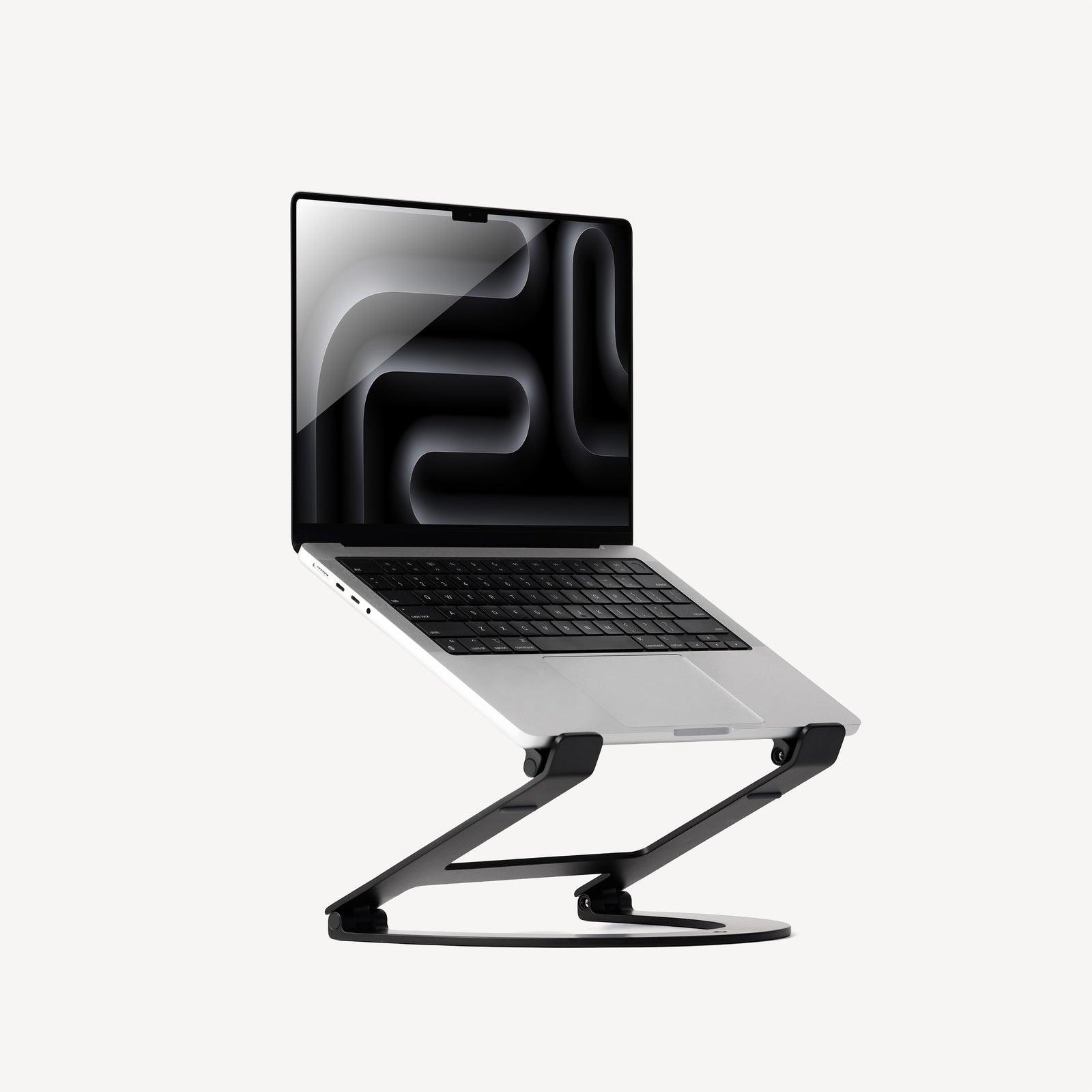
Your needs, this model
Does it fit your priorities?
Does Curve Flex change only height, or does it tilt the laptop too?
The manufacturer lists both adjustable screen height and a keyboard angle from 0 to 45 degrees. Its maximum stand height is 10.78 inches; the separate up-to-22-inch figure refers to the top of a particular laptop screen/camera above the desk, not 22 inches of stand lift.
Explore this need in the finder →Can I bring Curve Flex between a desk and a travel workspace?
The stand folds flat to 1.18 inches and the package includes a neoprene travel sleeve; it retains its adjustable height and keyboard-angle hinge when deployed. The product is for desk or other firm-surface arrangements, not a documented lap support, and its 1.75-pound listed mass should be considered with the rest of a travel kit.
Explore this need in the finder →What laptop dimensions and load should I check before choosing Curve Flex?
Twelve South specifies a laptop at least 8.66 inches wide and a maximum supported load of 7 pounds. The stated width and load do not prove that every case, foot, vent or contact geometry will fit the stand's 10.4-by-8.8-inch footprint and 7.28-inch base-leg spacing; compare the actual chassis and follow the maker's setup directions.
Explore this need in the finder →Twelve South Curve Flex is the mobile, adjustable member of the company's Curve desk-stand family. It holds an open laptop on a hinged aluminum frame, lets you change screen height and keyboard angle, and folds flat for transport. The useful comparison is not simply “Curve with more features”: Curve Flex is a distinct model with its own footprint, fit guidance, carry weight, hinge hardware, and setup checks.
Separate stand height from laptop screen height
The current product page lists a maximum unfolded stand height of 10.78 inches and a folded-flat height of 1.18 inches. It also describes positioning a MacBook screen and camera up to 22 inches above the desk. Those numbers describe different things. Twelve South's FAQ explains that the 22-inch screen/camera figure depends on the computer: it gives a 16-inch MacBook Pro as one example and lower positions for other MacBooks. Treat the figure as a device-specific example, not 22 inches of stand lift or a universal screen position.
Curve Flex also adjusts keyboard angle from 0 to 45 degrees. That can matter when you want a raised screen but prefer to angle the laptop's built-in keyboard toward a typing position. The maker does not list a set of numbered stops or the height of every intermediate hinge position, so an exact target height must be checked with your own laptop. The stand's maximum height alone cannot predict where a particular webcam will land.
The frame's adjustment relies on hinged joints. The included hex tool is stored in the sleeve and the product FAQ describes using it to tighten hinges if they loosen. That is a real ownership consideration: the adjustment hardware is part of the format, not an invisible convenience that never needs attention. We have not operated or stress-tested the hinges; use the maker's instructions and avoid assuming that an advertised range establishes long-term stability.
Published fit and footprint checks
Twelve South lists a 10.4-inch width, 8.8-inch depth, 7.28-inch space between the base legs, and a 1.75-pound stand weight. Its compatibility text calls for laptops at least 8.66 inches wide and a supported load of up to 7 pounds. These details make Curve Flex easier to screen against than many open risers, but they do not constitute a model-by-model list. A wide computer can still have feet, vents, or a protective shell that changes how it contacts the supports.
The 1.75-pound mass and the stand's deployed base are worth considering together. Curve Flex folds flat to 1.18 inches and includes a neoprene travel sleeve, but folding it does not erase its width, length, weight, or the rest of the kit you carry. Measure the pouch or bag opening and the desk/counter footprint you plan to use. The product is documented as a portable desk stand, not a support for a lap or a soft surface.
The support limit should also be treated as a hard check. Stay within the maker's 7-pound limit and compare the laptop's real width and contact geometry with the deployed rails. Do not infer compatibility from screen diagonal alone, and do not place an unlisted heavier computer on the stand because the hinge appears substantial in a product photo.
When its flexibility is useful
Curve Flex makes the most sense when the same open laptop moves between desks, a higher screen position is important, and the user wants to vary the keyboard tilt as well. It can act as a low desktop wedge or be raised to align a laptop display with a larger external monitor. In those arrangements, a separate keyboard and pointing device can keep typing position independent from the screen position.
Compared with the fixed Curve, Flex provides a real height and angle mechanism, folds, and includes a travel sleeve. That flexibility comes with more parts to position, a listed 1.75-pound mass, and a need to verify the hinge range and joint tension. Compared with Roost V3 or V3 Plus, Curve Flex has a different adjustable folding structure: the Roost models use selectable support positions and list a strict front-edge thickness condition, while Twelve South specifies laptop width and load for Flex. These are different fit rules, not interchangeable universal guarantees.
Other desk stands may keep a lower, fixed elevation or use a slider. If you do not need to fold the stand or change the laptop angle, compare those simpler formats on actual footprint and display height rather than assuming that extra adjustment is always better. A stand can raise a screen, but it cannot choose the right viewing height for every chair, desk, or person.
Who it suits and what to check
Curve Flex is a candidate for a desk user who wants height and keyboard-angle adjustment and will benefit from folding the support between work locations. It is less compelling if the laptop normally stays in one place, a compact carry weight is the priority, or the laptop falls outside the stated width/load conditions. Its travel form does not make it a lap stand, and no swivel base is documented.
Before choosing a particular listing, verify the exact Curve Flex model and finish, weigh the laptop against the 7-pound limit, measure its width and support contact areas, and make sure the deployed base fits the desk. Compare the intended screen/camera height with the actual computer rather than reading 22 inches as a blanket promise. Keep the included hex tool and consult the current setup guidance so the hinges are adjusted as directed. This is a research-based assessment of manufacturer documentation, not a claim of personal setup, fit, typing, durability, or comfort testing.
Key specifications
Key details at a glance
| Stand width | 10.4 in |
|---|---|
| Stand depth | 8.8 in |
| Stand weight | 1.75 lb |
| Main material | Aluminum |
| Height-adjustable | Yes |
| Folds for storage | Yes |
| Swivel base | No |
| Supported placement | desk |
Use the exact model’s instructions for operating limits, supplied equipment and version differences.
Sources for this review
Sources for this assessment
Compare the setup, not just the silhouette
Use the finder to compare reviewed stands against the way you work and the features you actually need.