
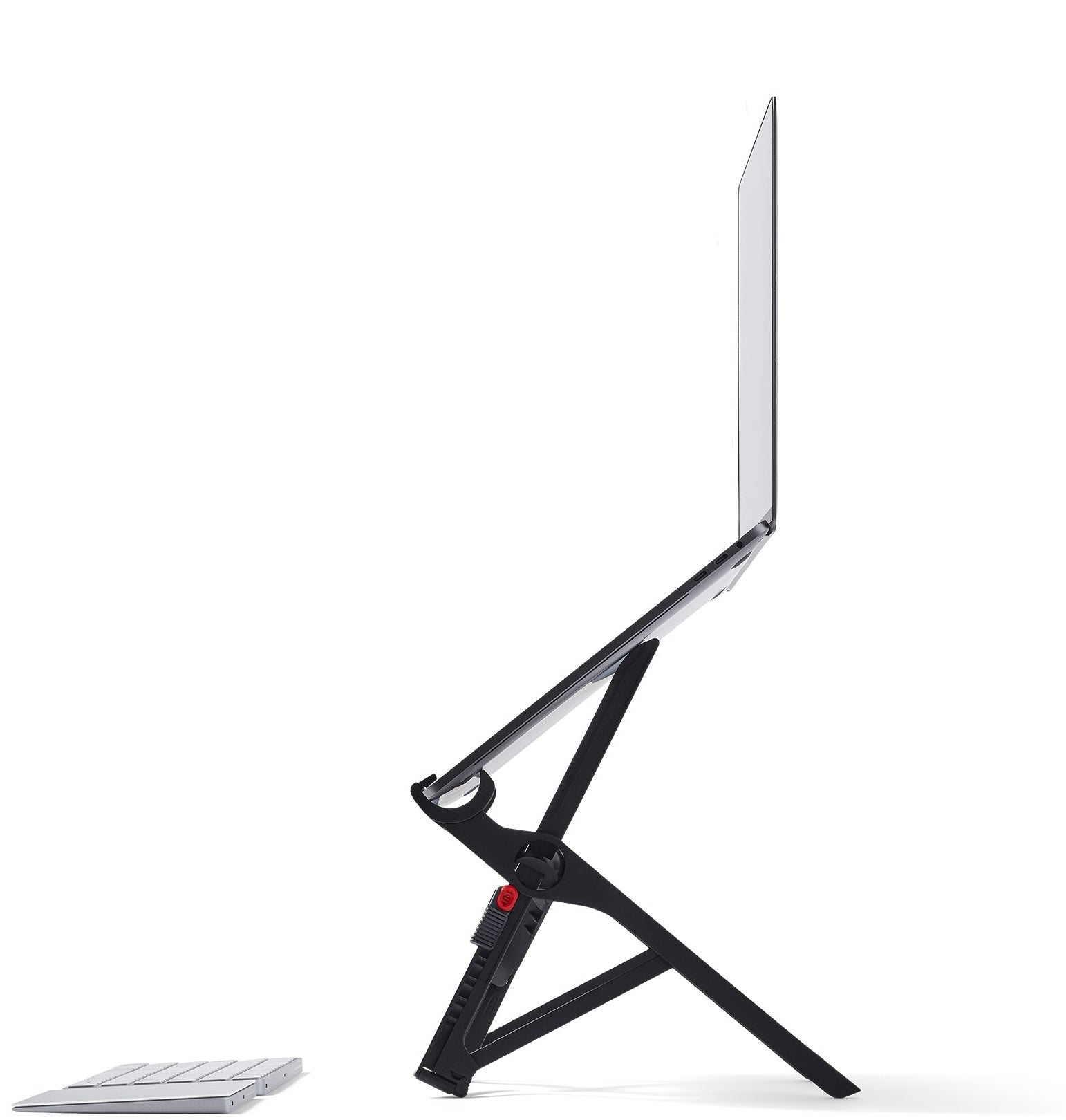
Your needs, this model
Does it fit your priorities?
How much lift can I choose on the Roost V3?
Roost lists seven selectable positions and a 6.5–12.5-inch screen-lift range for the V3. The product page does not give the height of each intermediate setting, and the resulting screen position varies with the laptop's own dimensions. Compare the stated range with your setup; do not treat it as a fixed monitor height.
Explore this need in the finder →Will a thick laptop or protective case fit the V3 grips?
Roost's fitting guide says the laptop chassis front edge must be less than 0.75 inch (1.9 cm) thick. That is a strict boundary, not a promise that an exact-thickness edge qualifies. Measure the contact area with its case and account for feet, vents and the stand's grip points; the maker does not provide a full model-by-model fit chart.
Explore this need in the finder →Can the V3 travel with me and still adjust at the desk?
Yes, the product page describes the stand as folding and lists seven selectable height settings with 6.5–12.5 inches of screen lift. It does not list the V3 Plus quick-release mechanism. The folded dimensions are 1 × 1.5 × 13 inches in the maker's stated order; the listed 6 oz / 178 g pair and the raw variant weight without a unit leave carry mass unresolved.
Explore this need in the finder →The Roost V3 is a portable, open-laptop riser built around two requirements that are often treated separately: it folds for packing, and it offers multiple screen-lift positions once opened. The current product page lists seven selectable heights and a 6.5–12.5-inch screen-lift range. Those numbers make it different from a fixed-height travel frame, but they do not tell you where your own screen will land; the laptop's thickness and display geometry still matter.
Seven choices instead of a fixed platform
Roost describes the V3 as having seven selectable height settings. Its current comparison table gives the V3 a 6.5–12.5-inch screen-lift range, while the V3 Plus spans 5–14 inches and has 11 settings. The range is a useful boundary for planning, not a promise of the screen position on every machine. A laptop with a different base thickness will put its display at a different final height, and the page does not publish the exact lift at each of the seven intermediate stops.
The main distinction from the Plus is the adjustment hardware: the V3 listing does not show the Plus quick-release mechanism. If you expect to change height frequently without interrupting work, the Plus is the more clearly documented choice for that task. The regular V3 still allows a choice of seven positions; it simply does not carry the same quick-release claim. Neither model should be confused with a smooth telescoping column or an infinitely variable desk riser.
Packability has a stated shape, but not a settled mass
Roost says the V3 folds and lists its folded size as 1 × 1.5 × 13 inches. That elongated folded form is more useful to compare with a backpack sleeve or side compartment than the stand's open silhouette. The current product page also describes removable pull tabs as a learning aid. It does not establish that a carrying sleeve is included with this exact listing, so check package contents rather than inferring an accessory from product photography.
The manufacturer pairs “6 oz” with “178 g.” Six avoirdupois ounces convert to about 170 g, not 178 g, and the current option data exposes a raw weight value of 266 without a unit. I have left verified carry weight blank. If every ounce matters, confirm a current measured package or item weight with the seller or manufacturer instead of relying on the headline mass. The linked, unversioned Roost flyer is not a substitute: it gives generic older figures and does not identify a V3 edition.
Check the laptop edge at the contact point
The V3 page uses broad “fits all makes and models” language, but Roost's fitting guide adds a more useful physical condition: the laptop's front chassis edge must be less than 0.75 inch (1.9 cm) thick. Treat that as a strict less-than limit, not an inclusive 0.75-inch allowance. Measure the actual edge the grips will contact, including a case if one stays on, and check whether feet or a beveled chassis leave the support points fully seated. Screen diagonal alone cannot answer that question, and the manufacturer does not publish a complete footprint chart for every laptop.
The product is documented as a desk stand that can fold for travel; there is no manufacturer instruction here to use it on a lap. Its moving supports and the laptop's own feet also make exact setup instructions important. Roost's current general use page illustrates opening and closing the stand and says to lower the height only with the laptop on the Roost. Follow the instructions for the exact V3 you receive instead of forcing an adjustment. No separate stability, wear, or fit test is claimed in this assessment.
What a raised laptop changes at a desk
Raising the built-in screen also raises the attached keyboard and trackpad. That can be a compromise for long typing sessions, so decide whether a separate keyboard and mouse belong in the setup before settling on a height. A folded travel stand may save bag space compared with a broad desktop riser, but it does not create desk depth for the external input devices. The V3 page does not give a deployed footprint measurement; reserve room for the support legs, laptop, cables, and any keyboard rather than assuming the folded dimension predicts its open footprint.
Roost uses ergonomic language about matching a screen to eye level. That is a manufacturer positioning claim, not an individualized assessment of posture, chair height, viewing distance, or comfort. The actual screen can end up above or below your preferred sightline depending on your laptop and desk. Likewise, claims about a still screen or material stiffness require independent evidence before they can be treated as measured performance.
Who should compare the V3 with the Plus?
The V3 makes the most sense when you need a stand to fold and the seven-position range covers the screen location you want. Its listed range begins higher than the Plus at 6.5 inches, which may matter if you have a low sightline target; the Plus starts at 5 inches and extends to 14. If you also need a quick-release change while the laptop remains on the stand, that feature is explicit on the Plus page and absent from the V3 feature list. Both pages give the same folded dimensions, so model selection is more about working range and adjustment mechanism than packed length.
The V3 is not the right answer if the laptop must be supported on a lap, if a swivel base is essential, or if a continuous height column is required. Nor does a general compatibility phrase replace the thickness check. Read the current V3 product page alongside the manufacturer's laptop fitting guide, then verify the current listing's exact identity, package, seller, and return terms. This review is based on manufacturer documentation and official product images; it does not claim ownership or hands-on testing.
Key specifications
Key details at a glance
| Manufacturer-listed height range | 6.5–12.5 inches of screen lift across seven selectable positions; final screen position varies with the laptop |
|---|---|
| Height-adjustable | Yes |
| Folds for storage | Yes |
| Swivel base | No |
| Supported placement | desk |
Use the exact model’s instructions for operating limits, supplied equipment and version differences.
Sources for this review
Sources for this assessment
Compare the setup, not just the silhouette
Use the finder to compare reviewed stands against the way you work and the features you actually need.