
Your needs, this model
Does it fit your priorities?
Does the BookArc for MacBook Air package fit every MacBook Air?
No. The manufacturer names only specific MacBook generations for each insert. F covers the listed 13-inch Air Retina (2020, A2179) and 13-inch Air M1 (A2337); Insert I is added when the current Air option is selected for 13- and 15-inch M2/M3 Air models A2681 and A2941. Other generations need their own documented insert mapping; do not use the Air label or screen size alone as proof of fit.
Explore this need in the finder →What should I check about the included BookArc inserts?
The BookArc product page lists F, G and H in the package and says the Air-selected option adds Insert I to the cart. Those are separate model-specific pieces, not a universal clamp. Match your exact MacBook model identifier to the maker's compatibility list, and confirm the selected package actually contains the needed insert before ordering.
Explore this need in the finder →Can I leave a protective shell on or use BookArc as a travel riser?
Twelve South does not recommend a case or shell because it can make the MacBook lean, harder to remove, or shift the insert. The fixed vertical holder is intended for a closed computer with a separate display; no folding, open-screen riser, height-adjustment, swivel or lap configuration is documented.
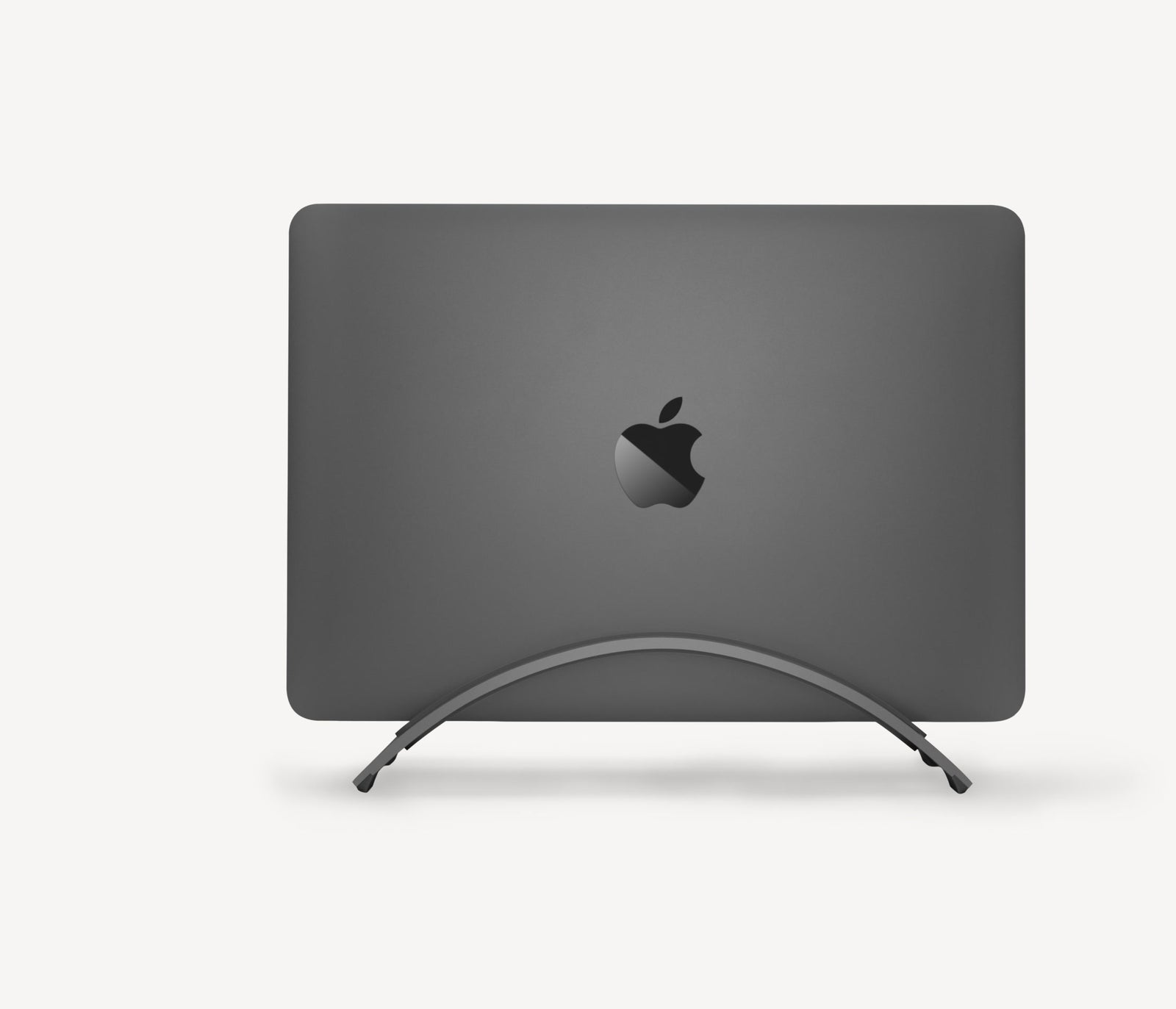
Explore this need in the finder →Twelve South's BookArc for MacBook Air is an insert-based vertical holder for a closed computer, not a shelf that raises an open screen. Its intended payoff is desk space: the MacBook stands on edge while an external display takes over viewing and a separate keyboard and pointing device do the work. The Air selection is a package option of the manufacturer's current BookArc listing. That distinction matters because the correct silicone insert, not the family name alone, determines whether a particular MacBook is named as compatible.
What the Air selection actually adds
The US product page lists inserts F, G and H in the package and separately says that insert I is added when the BookArc for MacBook Air option is selected. That is a real package difference from the Pro-selected listing, which does not mention I being added. The manufacturer assigns F, G and H to specific generations of both Air and Pro notebooks; the Air label therefore does not mean “Air models only,” nor does it establish that every Air fits. For this Air package, the important extra is I: Twelve South names 13-inch and 15-inch MacBook Air M2/M3 versions, with model identifiers A2681 and A2941. Insert F covers the listed 13-inch Air Retina (2020, A2179) and 13-inch Air M1 (A2337). Those are distinct fit conditions, not a generic promise based on diagonal measurement.
A closed-laptop arrangement with a small footprint
Twelve South describes the BookArc as holding the MacBook vertically while an external monitor, keyboard and mouse create a desktop routine. The published stand body is 2.20 inches high, 3.60 inches wide and 8.46 inches long, at a listed 0.35 pound. Those dimensions help plan a place beside the monitor, but they do not describe the whole working envelope: allow room to lower the laptop into the slot, route its power and display cables, and reach them when you remove the computer. A stand footprint also cannot confirm the fit of a particular closed chassis.
The design is useful when the laptop can remain closed and the desk already has a separate display and input devices. It is the wrong format if you want to type on the built-in keyboard, keep the laptop screen active, or raise the open display to eye level. It does not adjust height, fold for a bag, swivel toward a coworker, or provide lap support in the manufacturer-described arrangement. The word “BookArc” should not be confused with the insert-free BookArc Flex or with Twelve South's open Curve family. Compare the MacBook Pro package for the other insert bundle and the BookArc Flex assessment for the separate arc mechanism.
Use the insert chart, not a family resemblance
Before ordering, identify the exact MacBook model number printed in system information or on its case, then match it to Twelve South's current lettered-insert list. The support chart assigns F to an Air Retina from 2020 and an M1 Air, as well as a named 16-inch Pro generation; G and H cover other specific Pro editions. The Air option's added I is named for 13- and 15-inch M2/M3 Air notebooks. A different year, chip family or screen diagonal is not enough to infer compatibility. The support center also lists other insert letters for older models, but those are separate fit pieces and are not represented here as included in this package.
This current Space Gray listing must also be distinguished from the discontinued pre-2015 “BookArc for MacBook Air” edition. Twelve South says that older stand came with numbered Insert 1A and that replacement inserts for pre-2015 versions are no longer available; its current product data instead show SKU 12-2005 for the Air-selected product record and a lettered insert system. If an offer describes Insert 1A, an old numbered pad, or a different BookArc version, do not assume it is the same package assessed here.
Cases and policy terms are important constraints
Twelve South does not recommend leaving a case or shell on the computer in BookArc. Added thickness and the case's edge profile can make a MacBook lean, make removal more difficult, or shift the insert. This is particularly consequential for a stand whose fit depends on a close, generation-specific slot. Do not force the laptop into the insert, and do not treat a slightly thicker insert as a universal workaround; the manufacturer's support guidance says even a few millimeters can prevent a proper fit.
The current product page labels the offer as clearance/final sale and says it is not eligible for return or warranty replacement, while general return and warranty statements elsewhere on the same page describe ordinary policy. Because those statements conflict for this item, verify the exact seller's order terms before committing rather than relying on the generic page copy. This review makes no claim about present stock, price, or a buyer's ability to return a particular order.
Who should compare it
The Air option is worth comparing when a closed MacBook Air will sit on a desk beside an external display and the exact machine is named for one of the supplied inserts—especially a 13- or 15-inch M2/M3 Air that uses Insert I. It is not a universal Air stand, an adjustable riser, or a replacement for checking a machine's chassis and case. If your MacBook model is not named, if the insert is missing, or if you need a support that works with a broader range of laptops without a separate pad, compare the documented limits of BookArc Flex instead. This is a source-based assessment of published specifications, not a hands-on fit, stability, or durability test.
Key specifications
Key details at a glance
| Stand width | 3.6 in |
|---|---|
| Overall stand height | 2.2 in |
| Main material | Aluminum stand with a silicone fit insert |
| Height-adjustable | No |
| Folds for storage | No |
| Swivel base | No |
| Rubber fit adapters included | Yes |
| Designed for a closed-laptop / external-display desk setup | Yes |
| Supported placement | desk |
Use the exact model’s instructions for operating limits, supplied equipment and version differences.
Sources for this review
Sources for this assessment
- Twelve South BookArc US product page and Air package
- Twelve South BookArc for MacBook Air official product data
- Twelve South BookArc Space Grey MacBook Pro product page and separate product record
- Twelve South support: BookArc insert compatibility by MacBook model
- Twelve South support: case and shell fit with BookArc
Compare the setup, not just the silhouette
Use the finder to compare reviewed stands against the way you work and the features you actually need.