
Your needs, this model
Does it fit your priorities?
Does BookArc Flex raise an open laptop screen?
No open-screen riser position is documented. BookArc Flex holds a closed laptop upright so a separate monitor can serve as the display; the product page describes the laptop's weight drawing its arcs together. If you want to keep using the laptop's own screen and keyboard, compare open supports such as the mStand or fixed Curve instead.
Explore this need in the finder →What should I measure before fitting a laptop in BookArc Flex?
Twelve South describes compatibility with most laptops up to 16 inches and about 1 inch thick. Measure the closed chassis at the contact point with any case or shell installed, then check that the ports and cables remain accessible and the computer can sit upright as shown in the manual. The manufacturer does not publish a maximum laptop weight or an exhaustive model list.
Explore this need in the finder →Can I pack BookArc Flex as a folding travel riser?
The exact model is described as a fixed vertical holder, with a 2.2-inch height and no documented fold-flat transport mode. Do not infer a travel configuration from the word Flex; the laptop itself must also stay closed and be used with another display and separate input devices in the manufacturer's intended setup.
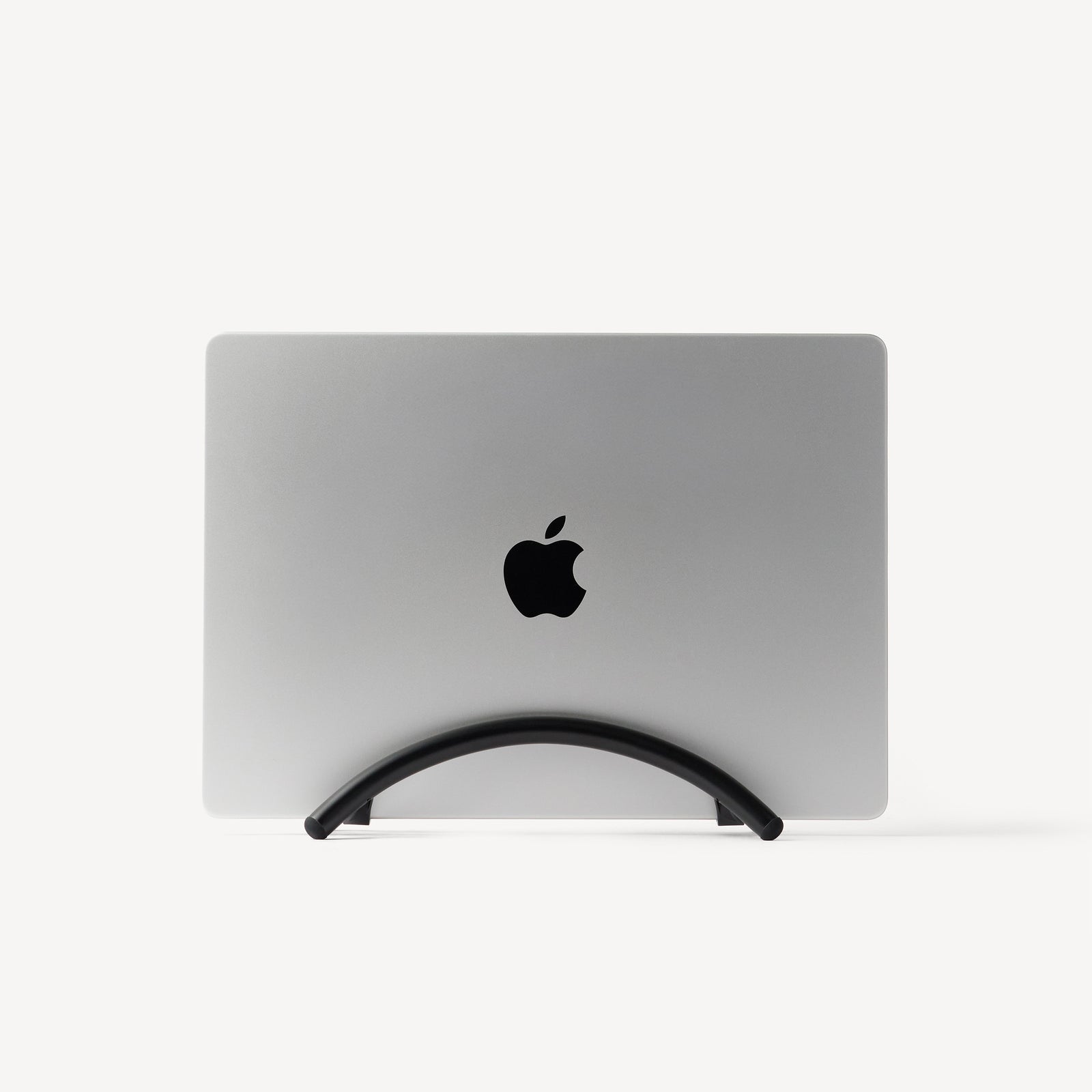
Explore this need in the finder →Twelve South BookArc Flex is for a desk where the laptop closes and a separate display takes over. The aluminum arcs hold the notebook upright, freeing the space that its open footprint would occupy. That makes it a different tool from the similarly named Curve Flex: BookArc Flex is not an adjustable-height open riser, and the word “Flex” should not be read as evidence that it folds into a travel stand.
Choose the closed-laptop routine first
The manufacturer describes BookArc Flex as a vertical stand for a closed laptop connected to an external monitor, keyboard and mouse. Its product page says the laptop's weight draws the supporting arcs together, so no separate silicone fit insert or adjustment is required. The owner's guide adds a practical setup rule: place the computer straight up, at about 90 degrees to the desk, with its logo side facing up. A tilted laptop is not corrected by the holder. The guide also shows cleaning the non-slip pads periodically with a damp cloth.
This format only helps if the rest of the desk can take over the closed computer's jobs. Confirm the laptop can drive the external display and remain usable with its lid closed under the manufacturer's operating instructions. BookArc Flex does not supply or connect a monitor, keyboard, pointing device, dock or power adapter. Its metal arcs are a passive support, not a display or USB accessory.
Check thickness and space, not just the screen-size label
Twelve South lists a 2.2-inch height, 3.6-inch width, 8.43-inch length and 0.53-pound holder weight. The current compatibility text refers to most laptops up to 16 inches and about 1 inch thick. The wording is not perfectly consistent: one product description says “less than 1 inch,” while other product text says “up to 1 inch.” Treat a laptop near that threshold as an unresolved fit question until the maker confirms its exact chassis and case.
Measure thickness at the point the arcs contact the computer, including any protective shell you plan to leave on. The product page does not name every supported chassis, publish port-clearance measurements, or give a maximum laptop weight. A 16-inch screen label alone cannot establish that the closed body, feet, case and balance suit the holder. Check that a charging or display cable can bend naturally without levering the laptop out of its vertical position, and allow room to lift the computer out rather than measuring only the holder's footprint.
Understand what the arcs do—and do not do
The no-insert approach avoids a separate pad selection step. The product page explains that the computer's weight draws the arcs together, and the manual's straight-up placement instruction gives a useful check that the laptop is seated as intended. That is different from the older insert-based BookArc configuration: official support documentation for that other model maps silicone inserts to specific laptop generations and says small thickness differences can cause a poor fit. Do not treat the two BookArc families as interchangeable or assume that an insert designed for the older stand belongs in BookArc Flex.
BookArc Flex has one fixed vertical arrangement. The manufacturer does not document a height adjustment, a swivel base, an open-laptop mode, or a fold-flat travel configuration for this model. Its 0.53-pound mass describes the holder, not a laptop weight limit. Nor does an open space around the stored computer establish a measured cooling gain; the product page's space-saving and airflow language is not an independent thermal result.
Finish and repeated offer cards are not new mechanisms
Current Twelve South product data expose Black, Chrome and White BookArc Flex finish pages. The office collection has also displayed repeated BookArc Flex offer cards, including a clearance-marked listing. Those repeated cards do not document different arcs or separate stand functions, so this assessment treats them as one model family with finish-specific listings. The exact Black option data return SKU TS-2262 and Chrome returns TS-2264; the captured White data repeat TS-2262, so that code alone is not a reliable White identifier. Confirm the named finish and current package on the seller's exact offer. This review does not quote an offer price or claim stock status.
Who should compare it—and who should choose another shape
BookArc Flex is a reasonable format to assess when desk depth is scarce, the laptop will remain closed, and an external screen and separate input devices are already part of the plan. It has a modest published footprint and does not require a fit insert. The key decision is whether you value keeping the closed notebook upright more than retaining access to its built-in screen and keyboard.
If you want the laptop's own display raised while it stays open, compare fixed or adjustable open stands instead. If you need travel folding, variable height, or lap support, this model does not provide a documented answer to those needs. Check the exact cased thickness and placement with Twelve South before ordering when your laptop is near the stated boundary. This assessment is based on the current official product information and manual; it includes no hands-on fit, stability, cooling, durability or typing test.
Key specifications
Key details at a glance
| Stand width | 3.6 in |
|---|---|
| Overall stand height | 2.2 in |
| Stand depth | 8.43 in |
| Stand weight | 0.53 lb |
| Main material | Aluminum |
| Height-adjustable | No |
| Folds for storage | No |
| Swivel base | No |
| Maximum supported laptop thickness | 1 in |
| Rubber fit adapters included | No |
| Designed for a closed-laptop / external-display desk setup | Yes |
| Supported placement | desk |
Use the exact model’s instructions for operating limits, supplied equipment and version differences.
Sources for this review
Sources for this assessment
- Twelve South BookArc Flex current product page
- Twelve South BookArc Flex Black official product option data
- Twelve South BookArc Flex Chrome official product option data
- Twelve South BookArc Flex White official product option data
- Twelve South BookArc Flex Owner's Guide
- Twelve South office essentials collection
Compare the setup, not just the silhouette
Use the finder to compare reviewed stands against the way you work and the features you actually need.