
Your needs, this model
Does it fit your priorities?
How high does mBar pro+ raise a laptop compared with mBar pro?
Rain Design lists a 5.5-inch elevation for mBar pro+ and 3 inches for mBar pro. The page does not define a universal screen reference point, so treat these as manufacturer specifications and compare the result with your own laptop and viewing target rather than assuming they are precise screen-rise measurements.
Explore this need in the finder →Does the taller pro+ still fold for travel?
Yes. Rain Design describes pro+ as a portable folding stand and lists its folded profile as 9.6 by 6.3 by 0.5 inches; it also lists a carrying sleeve. It is taller in the bag than mBar pro, whose folded height is 3.6 inches, so check the actual compartment and package contents.
Explore this need in the finder →Does the mBar pro+ provide adjustable height as well as its 5.5-inch lift?
The manufacturer describes a folding frame and one 5.5-inch elevation, not an adjustment range. The frame's fold is for storage; it does not create a documented way to tune the working height. If adjustment after setup is essential, the current reviewed library documents that on iLevel instead.
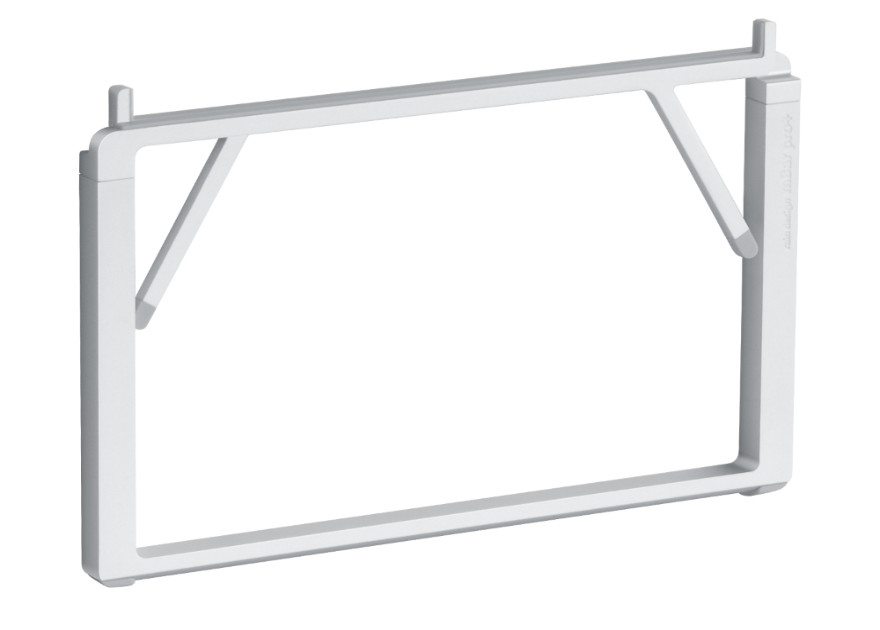
Explore this need in the finder →The mBar pro+ combines a folding frame with a manufacturer-listed 5.5-inch laptop elevation. It belongs to the same slim Rain Design family as the fixed mBar and the shorter mBar pro, but its taller deployed support and larger folded height create a materially different workstation and packing choice. The product page describes the model as portable and says it fits most laptops; this review treats those as manufacturer statements, not as a tested fit or a personal comfort result.
Higher fixed lift in a folding format
Rain Design lists the unfolded pro+ at 9.6 inches wide, 5.5 inches high and 10.8 inches deep. Its folded dimensions are 9.6 by 6.3 by 0.5 inches. The maker's feature text says it elevates a laptop by 5.5 inches and folds for storage. The page does not give multiple working positions or call the stand height-adjustable. In practical terms, its defining distinction is a taller fixed form that folds, not an arm you tune freely after placing the laptop.
The number 5.5 inches should be treated as the manufacturer's elevation specification. The reviewed page does not define a universal measurement point on every laptop's display, and the final screen location also depends on the computer's thickness and geometry. Compare the actual laptop and the target viewing position; do not assume that the product's listed height translates into the same screen movement for every machine.
Pro+ versus the shorter mBar pro
Both pro models fold, list a 0.5-inch folded depth and name a carrying sleeve. The standard pro has a 3-inch elevation and a 3.6-inch folded height; pro+ lists a 5.5-inch elevation and a 6.3-inch folded height. The pro+ also has a deeper listed deployed footprint (10.8 versus 9.8 inches). If you want the lowest folded profile or a less elevated open laptop, the shorter pro may be the closer comparison. If the higher fixed position is intentional and the larger folded height fits the bag, pro+ is the distinct model to examine. Neither product page establishes post-setup height adjustment.
For a different mechanism, the iLevel uses a slider for adjustment, while the pro+ is folded or opened as a unit. A stationary desk user may also compare the fixed mBar. These are different configurations, not finish changes: the mBar does not fold, pro folds to a shorter fixed elevation, and pro+ folds to a taller one.
Plan a real carry and desk layout
The 9.6-inch width remains when the pro+ is folded, so check the long dimension of the bag compartment as well as its depth. Its listed folded height is 6.3 inches, larger than the mBar pro's, and the package description says a sleeve is included. Check the exact package contents before ordering. When deployed, reserve room for the 10.8-inch listed depth plus the laptop's own front-to-back footprint; the stand's dimensions are not the total amount of desk area consumed by an open notebook.
The broad “fits most laptops” phrase is not a complete compatibility chart. Rain Design does not give an exact laptop footprint range or maximum supported load on the reviewed page. Check the width and depth of the chassis, the position of feet, the case thickness and whether vents are near the contact rails. If the machine is especially heavy, thin or unusually shaped, request direct confirmation rather than relying on a general compatibility claim. No stability, keyboard, drop or thermal testing was performed for this assessment.
Cooling and weight are not shortcuts
Rain Design says the open design increases airflow around the notebook, but that wording is not a measured temperature result. The actual effect depends on the laptop's own openings, fans, workload and environment. A stand should not cover an intake or exhaust simply because an image shows the laptop raised above the table.
The manufacturer feature list gives a weight of 0.45 pound (205 grams). Official variant data also contains a raw weight of 816 without a unit. Since the available evidence does not explain that metadata field or establish that it is comparable to the feature-list pair, this review does not present a confirmed comparison weight. The folded dimensions and 0.5-inch listed depth can still help with a compartment check, but they do not establish the load a person will feel in a bag.
Confirm the exact current finish and package
The current option data maps Silver to stand SKU 10084, Space Gray to 10085 and Black to 10087. The separate replacement silicon-pad SKUs are 19084, 19085 and 19087; they are not the stand. The official finish images show the pro+ frame in each color, with the Silver image showing the frame deployed. Compare the listing title and package to the exact stand SKU, and check the current seller, stock, contents and return terms directly rather than relying on an older offer or a color-only image.
When the extra height is worth considering
Choose the pro+ for a desk-to-bag routine when its higher fixed lift is intentional and its folded height fits the carrying space. Do not choose it solely because a product page uses the word “ergonomic,” or because 5.5 inches sounds like the right screen rise without checking the actual laptop. For an adjustable setup, iLevel is the more relevant comparison; for a lower folded profile, compare mBar pro; for no packing requirement, compare the fixed mBar. The useful decision is the complete arrangement—computer, support points, desk, bag and typing position—not the model name alone.
Key specifications
Key details at a glance
| Stand width | 9.6 in |
|---|---|
| Overall stand height | 5.5 in |
| Manufacturer-listed height range | Fixed 5.5-inch laptop elevation; the opened stand is not height-adjustable |
| Stand depth | 10.8 in |
| Main material | precision anodized aluminum |
| Height-adjustable | No |
| Folds for storage | Yes |
| Swivel base | No |
| Supported placement | desk |
Use the exact model’s instructions for operating limits, supplied equipment and version differences.
Sources for this review
Sources for this assessment
Compare the setup, not just the silhouette
Use the finder to compare reviewed stands against the way you work and the features you actually need.