
Your needs, this model
Does it fit your priorities?
What makes the mBar pro portable compared with the original mBar?
Rain Design identifies mBar pro as a folding stand and lists a folded depth of 0.5 inch and a carrying sleeve. Its variants are Silver 10082, Space Gray 10083 and Black 10086. Those are finish versions of the same 3-inch-elevation model; separate silicon pads have different SKUs and are not stands.
Explore this need in the finder →Does the mBar pro let me raise or lower the laptop after opening it?
The manufacturer lists a fixed 3-inch elevation and folded/unfolded dimensions, but does not describe an adjustable-height mechanism or selectable positions. Folding for storage is not the same as changing the working height. The separate iLevel is the only reviewed model currently documented with height adjustment.
Explore this need in the finder →Should I choose mBar pro or mBar pro+ for a bag?
Both fold and have a listed 0.5-inch folded depth. Rain Design lists a 3-inch laptop elevation for mBar pro and 5.5 inches for pro+, while the taller pro+ is 6.3 inches high when folded compared with 3.6 inches for mBar pro. Compare the laptop's footprint, your target screen position and the available bag compartment; the manufacturer's broad fit claim does not resolve a specific laptop.
Explore this need in the finder →Rain Design's mBar pro is the folding counterpart to its fixed mBar: an open-laptop stand intended to travel between workspaces, with a maker-listed 3-inch elevation and a folded profile only half an inch deep. It keeps the family's slim aluminum style, but it is not an adjustable-height arm. The product page describes a portable folding frame, lists a sleeve, and says it fits most laptops. This assessment interprets those claims from current manufacturer material and exact finish images rather than from personal use, a fit test or a drop test.
What “folding” changes—and what it does not
The product page lists the unfolded mBar pro at 9.6 inches wide, 3 inches high and 9.8 inches deep. Its folded dimensions are 9.6 by 3.6 by 0.5 inches. That is a useful distinction for a bag check: the narrow folded thickness does not erase the stand's nearly 10-inch width or folded height. Rain Design also lists a carrying sleeve. Confirm that the exact package you are considering includes one rather than assuming every reseller bundle or older offer contains the same accessories.
Once deployed, mBar pro has one listed 3-inch laptop elevation. The manufacturer does not describe a post-setup height control or range. A folding joint makes the stand packable; it does not establish that you can tune screen height after opening it. The laptop's own body and contact position also influence where its display lands, so the published elevation is a product specification, not a personalized screen-position result.
Compare it with mBar and pro+
The original mBar is a fixed-size 3-inch riser rather than a folding travel stand. The mBar pro preserves that listed elevation but adds a folding format; mBar pro+ folds too and lists a taller 5.5-inch elevation. The taller pro+ is 6.3 inches high when folded, compared with 3.6 inches for this model, while both list a folded depth of 0.5 inch. That makes pro+ a different balance of intended screen position and packed height, not just a finish or bundle variation.
If the stand is expected to stay on a desk and you need height adjustment after setup, compare the iLevel; its slider is a different mechanism. The mBar pro's folding frame should not be mistaken for iLevel's sliding adjustment. If rotating a screen for sharing matters, the separate mStand360 is the Rain Design model in this reviewed library with that documented base feature.
Verify the particular laptop's support
Rain Design says mBar pro fits most laptops but does not give a device-by-device chart, a maximum load, or a detailed footprint envelope on the page reviewed. Before choosing it, compare the laptop's base width and depth with the actual support rails, locate its rubber feet, and check whether its case changes the contact points. An open rail arrangement may leave more of the underside exposed than a broad plate, but that alone cannot prove that a particular machine will sit securely or preserve every vent opening. Ask about an unusually heavy or thin computer rather than deriving a load limit from the stand's appearance.
The page says the stand increases airflow around a laptop. That remains a design claim, not measured evidence that a particular device will run cooler. Airflow depends on where the computer's intake and exhaust openings sit, the fan design, room conditions and the work being done. No cooling test, typing-stability test or durability test was performed for this review.
Although the product is described as a portable stand, the reviewed material presents an open laptop in a supported workstation arrangement; it does not establish lap use. Nor does it document a swiveling base or multiple height positions. A desk user who needs a fixed frame rather than packing flexibility may prefer the simpler mBar; someone who needs the taller fixed lift should compare pro+ rather than adding an unlisted adjustment capability to pro.
Resolve the weight discrepancy before comparing bags
The feature list gives 0.3 pound (130 grams), but the Specs section shows 3 pounds alongside 1.46 kilograms. Those fields do not agree: 1.46 kilograms is not the equivalent of 3 pounds, and the smaller feature-list pair is materially different from the listed Specs value. The current product data adds a raw variant weight of 590 with no unit label. Since the evidence does not resolve which field should be trusted, this assessment leaves comparison weight unknown. The 0.5-inch folded depth and the specified folded dimensions are safer planning facts than an asserted carry weight.
Check the finish and stand SKU
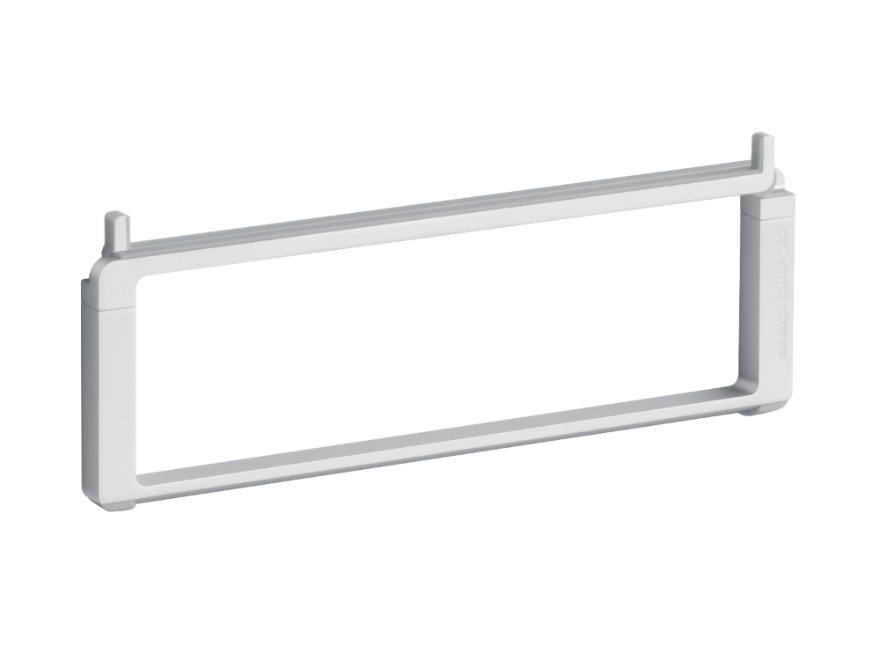
The official current options identify mBar pro Silver as SKU 10082, Space Gray as 10083 and Black as 10086. Separate replacement silicon-pad options have SKUs 19082, 19083 and 19086; those are accessories, not the folding stand. Rain Design's product images show the frame itself in the three finishes, with the Silver product image depicting the stand folded. Match the exact stand name, finish and package to the offer, and review current availability, seller, contents and return terms there—this page does not make a live stock or price claim.
The practical case for mBar pro is straightforward: if a folded stand that is thin in one dimension and has a fixed 3-inch maker-listed lift fits your travel routine, it is a distinct option from a permanent desk frame. Before deciding, test the measurements against your bag and compare the laptop's underside with the support points. If those facts are unavailable or the fit remains uncertain, keep that question open instead of treating “fits most” as a guarantee.
Key specifications
Key details at a glance
| Stand width | 9.6 in |
|---|---|
| Overall stand height | 3 in |
| Manufacturer-listed height range | Fixed 3-inch laptop elevation; the opened stand is not height-adjustable |
| Stand depth | 9.8 in |
| Main material | precision anodized aluminum |
| Height-adjustable | No |
| Folds for storage | Yes |
| Swivel base | No |
| Supported placement | desk |
Use the exact model’s instructions for operating limits, supplied equipment and version differences.
Sources for this review
Sources for this assessment
Compare the setup, not just the silhouette
Use the finder to compare reviewed stands against the way you work and the features you actually need.