
Your needs, this model
Does it fit your priorities?
Does its 16–40 mm adjustment mean it fits every laptop in that thickness range?
No. Mobile Pixels lists a 16–40 mm slot opening and separately writes 0.63–1.61 inches; the upper endpoints do not convert exactly. These are slot-opening statements, not a diagonal-size or full chassis-fit chart. Measure the laptop where it will contact the holder, include any case or sleeve that remains attached, and check the base and edge support. The product page does not publish a load limit or exact laptop compatibility table.
Explore this need in the finder →Does the stand's adjustable slot meet essential height adjustment?
The page describes slot-width adjustment from 16 to 40 mm, but it does not give a selectable screen-height range. That width change should not be treated as stand height adjustment; the exact model is not established for a desk-plus-height requirement.
Explore this need in the finder →Is the upright cradle a documented travel or lap stand?
The U.S. product page presents it as a vertical desktop holder. The reviewed information gives no folding mode, folded envelope, carry case or lap-use directions. Check a separately documented travel or lap design when either use is essential.
Explore this need in the finder →Does the Vertical Laptop Stand document swivel?
The reviewed official page describes an adjustable cradle and anti-slip supports, but no rotating base. Slot-width adjustment is not swivel; do not treat it as a match when a rotating base is essential.
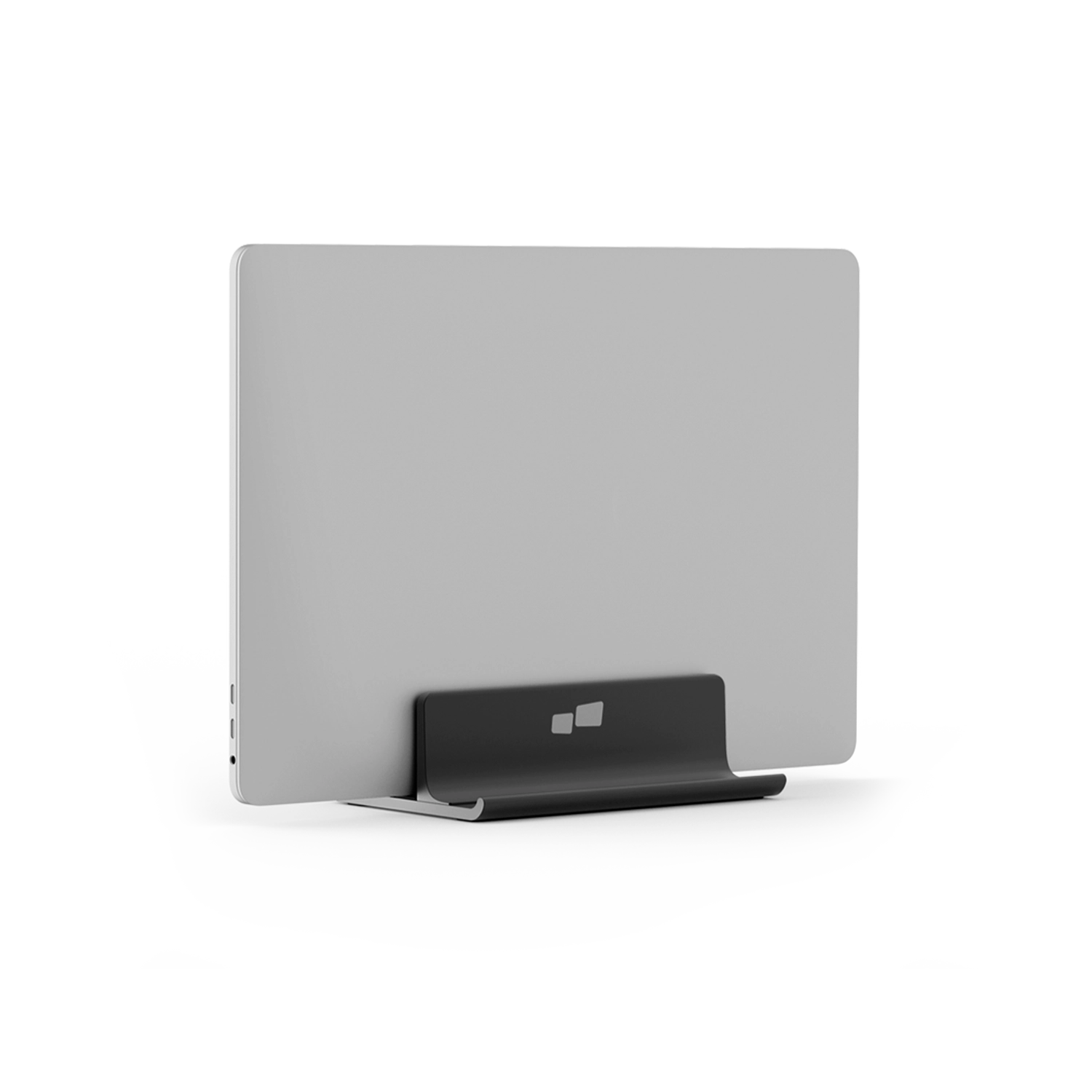
Explore this need in the finder →The Mobile Pixels Vertical Laptop Stand is an upright desktop cradle, not an open-laptop screen riser. Its U.S. product page identifies model 114-1001P01 and describes an adjustable slot intended for laptops, tablets or phones. The listing gives a 16–40 mm opening range and says one laptop can sit with one smartphone or tablet. That is more useful than a vague “universal” label, but it still does not identify a compatible laptop chassis, base width, weight or a safe combination of devices. Treat it as a compact desk organizer whose fit depends on the exact closed device and cradle contact—not as a model-specific compatibility certification.
The slot is the key fit dimension
Mobile Pixels publishes a 16–40 mm adjustable-width range and separately writes 0.63–1.61 inches. Those upper endpoints do not convert exactly: 40 mm is about 1.57 inches, not 1.61. Preserve both manufacturer statements and verify the physical opening rather than silently treating them as identical. The values describe the slot, not the laptop’s screen diagonal, base footprint or height above the desk. Measure the thickness of the laptop where it will rest, including any sleeve or case that remains attached, and check whether its edges can sit securely in the cradle. A diagonal-size claim would not answer that question, and the product page provides none. The maker says the holder can keep air space around the laptop and identifies anti-slip supports, but it does not publish a load rating, contact-pressure limit or independent stability test.
The overall dimensions are listed as 6.3 × 2 × 4.4 inches, with no axes labelled in the specification block. Do not assume those figures describe a usable slot depth, the laptop’s supported footprint or a clearance envelope. Compare the whole stand with the clear width and depth of the desk, then check how the cradle’s base and the device’s edge meet the surface. If a phone or tablet will share the holder, verify that its separate position does not obstruct the laptop or make the combined arrangement unstable; the source does not supply a device-weight limit for that combined use.
Upright storage is not the same job as raising the screen
The page calls the product a vertical stand and emphasizes saving desk space. It does not explain whether the laptop should be operating closed, whether an external display is required, or whether a particular laptop can remain open in the cradle. Those are meaningful unanswered setup questions: a user planning to work from the laptop’s own screen should confirm the lid clearance and intended orientation before buying, while a closed-laptop storage arrangement still needs an external screen and suitable keyboard and pointer elsewhere. The maker’s phrase that the holder is compatible with laptops, tablets and smartphones does not establish every device combination or an exact model-specific fit.
This design differs from an elevated platform such as a monitor riser. The cradle changes how the laptop is stored, but no screen-height adjustment or viewing-angle range is specified. Although the cradle opening adjusts across 16–40 mm, that motion is lateral slot-width adjustment; it should not be treated as the stand’s height adjustment. The reviewed product details also do not document a swivel base, a travel fold, a folded size, or lap use. If any of those functions is essential, choose a model whose manufacturer documents that exact mechanism rather than inferring it from the word “adjustable.”
Desk placement and alternatives
The product is presented for a desktop setup. A firm, level desk is the supported setting in the material reviewed; no instructions establish a safe arrangement on a lap, soft surface or moving tray. For travel, the fact that the cradle is small-looking in a product image does not prove that it folds or that it will fit a particular bag. The official image shows a closed-looking silver-gray rectangular device upright in the black cradle. It illustrates one pictured arrangement, but does not name the device or demonstrate compatibility for a particular laptop model.
For a laptop that should sit horizontally above the work surface, the separate Mobile Pixels Laptop/Monitor Riser (114-1002P01) is a shelf with an integrated hub, not a vertical cradle. It publishes a 50 lb maximum load claim and a 23.2 × 9 × 3.2 inch size statement whose axes are not labelled. Its support and connector questions differ from the 16–40 mm slot fit of this stand. Read the Laptop/Monitor Riser assessment if a shelf is the intended arrangement; the same-condition desk finder contains both desk-supported models alongside other reviewed options.
What to verify before choosing it
Match the exact 114-1001P01 code, then measure the laptop at its actual contact point against the maker’s 16–40 mm range. Check the full stand dimensions against the desk without assigning unsupported axes, and confirm how the computer will be used while upright. If you plan to support a second device, ask whether its width, thickness and weight are suitable; the page specifies one laptop plus one smartphone or tablet but no combined load. Inspect the real cradle surfaces and any case or sleeve that changes the device thickness. Do not infer lap use, height adjustment or travel suitability from slot adjustment alone.
This is an evidence-based assessment of Mobile Pixels’ published U.S. product information, not a hands-on fit, stability or usability test. The company page provides a current model and a single black SKU, but no laptop-by-laptop compatibility table, load limit or setup manual with additional boundaries. Those omissions remain open rather than being filled by the generic compatibility wording.
Key specifications
Key details at a glance
| Supported placement | desk |
|---|
Use the exact model’s instructions for operating limits, supplied equipment and version differences.
Sources for this review
Sources for this assessment
Compare the setup, not just the silhouette
Use the finder to compare reviewed stands against the way you work and the features you actually need.