
Your needs, this model
Does it fit your priorities?
Can I use the mTower while typing on the laptop's built-in keyboard?
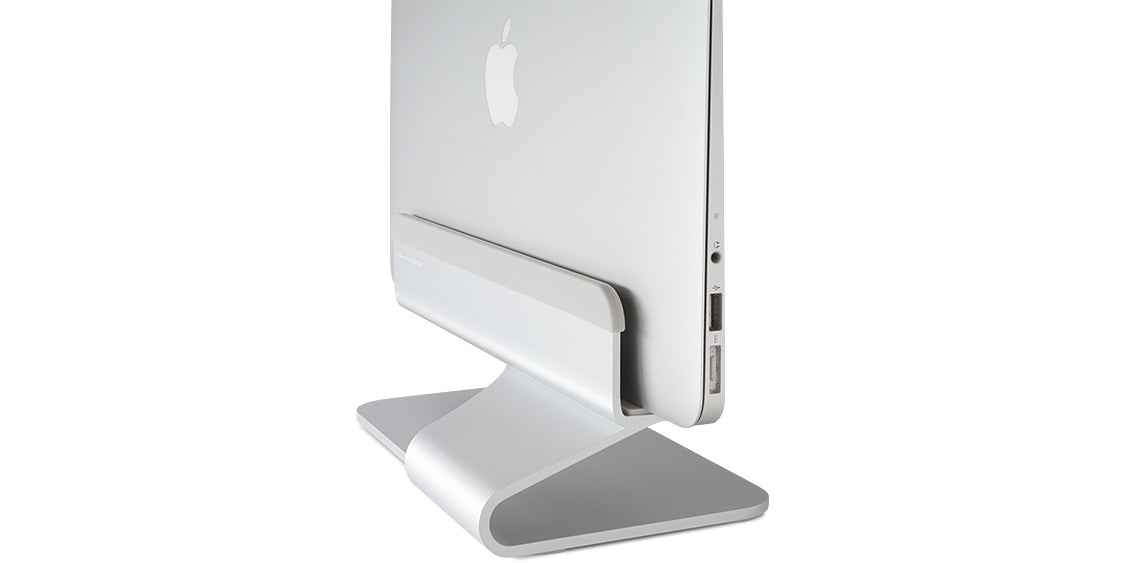
Rain Design presents mTower as a vertical holder for a laptop docked closed while an external monitor is used as the display. The page does not document an open-laptop typing arrangement, so choose a conventional open riser if the built-in screen and keyboard need to remain in use.
Explore this need in the finder →What laptop thickness does the mTower accept, and are fit pieces included?
Rain Design states that the total notebook thickness can be 0.61 to 0.75 inches (15.5 to 19 mm) and says rubber adapters are included for different notebook sizes. Measure the closed laptop at the support point, including any case, and check whether the exact configuration is named; the product page does not publish a maximum-load chart or full non-Apple fit list.
Explore this need in the finder →What else is needed to run a MacBook closed beside a monitor?
Rain Design describes mTower for a MacBook docked vertically with an external monitor as its display and points users to clamshell-mode instructions. Apple Support says a Mac laptop connected to an external display with its lid closed should be connected to power and use an external keyboard and mouse. Those are computer-setup requirements, not accessories included with mTower.
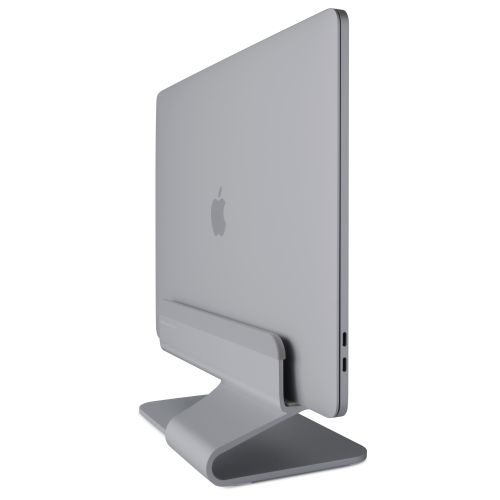
Explore this need in the finder →The Rain Design mTower is a vertical laptop holder, not a raised platform for an open computer. Its intended routine is to park a closed notebook upright on a desk while an external monitor becomes the display. That distinction matters more than the aluminum finish: if you plan to look at the laptop's own screen or type on its built-in keyboard, this is the wrong style of stand. The current product page lists Silver and Space Gray finishes, one-piece construction, a narrow 0.61–0.75-inch device-thickness range and rubber fit adapters. The documented setup is quite specific, so this assessment focuses on whether that arrangement fits your desk and machine rather than treating a vertical holder as a universal laptop riser.
A closed-laptop dock is a different category of fit
Rain Design describes mTower for a notebook connected to an external monitor as the single display. The holder's job is to support the closed computer on its side, freeing the desk area that the flat laptop base would otherwise occupy. Its product copy estimates that the upright arrangement takes about one third of the notebook's footprint; that is the manufacturer's description, not a measured result for every computer or workspace. The stand does not supply the display, a dock, power, a keyboard or a mouse.
For a MacBook, the closed-screen arrangement also depends on the computer and its accessories. Apple Support says a Mac laptop connected to an external display with the lid closed should be connected to power and use an external keyboard and mouse. That is separate from the stand's compatibility: check your exact computer's display connections, power arrangement and closed-display behavior before planning the layout. If you need the laptop's own screen open as a second display, an ordinary open-laptop riser is the more relevant comparison.
Thickness is the fit check to do first
Rain Design states that mTower accommodates a total laptop thickness from 0.61 to 0.75 inches (15.5 to 19 mm), and says rubber adapters are included for different notebook sizes. Measure the closed computer at the point where the holder grips it. If you plan to keep a protective shell on the laptop, include that thickness; the manufacturer frames its range as total thickness and answers a question about a laptop with a protective case. A dimension within the range is a useful screening check, not proof that the computer's side shape, feet, vents or ports will work well in the holder.
The page claims compatibility with all MacBooks and most other notebooks, and names MacBook Air and MacBook Pro sizes in its adapter guidance. It also lists separate mTower silicon-pad options for specific MacBook generations and colors. Those are distinct accessories, not alternate stand models. The option list helps identify the parts the manufacturer associates with certain laptops, but it is not a complete fit chart for every edition. Ask which adapters are included with the exact stand package and whether an additional model-specific pad is actually needed before treating a broad fit claim as confirmation.
Small desk footprint, fixed orientation
The listed holder dimensions are 4.5 inches wide, 3.5 inches high and 9.8 inches deep. These measurements describe the stand, not the side clearance required by the computer or its cables. Leave room to insert and remove the laptop, route its power and display leads, and avoid pinching a connector against a wall or neighboring device. The product page does not give a maximum supported laptop load or a complete dimensioned clearance drawing, so a very heavy, unusually shaped or cased notebook deserves an exact fit answer from the manufacturer.
mTower is described as a solid, single-piece aluminum structure. The page promotes its vent and the surrounding air space as cooling features, including an aluminum heat-sink claim; none of that establishes a temperature improvement for a particular computer, fan layout or workload. No thermal or stability test is claimed here. The same one-piece format also means there is no documented height adjustment, tilt control, swivel base or folding mode. It is a fixed desk holder for a consistent vertical arrangement, not a travel stand or a way to reposition an open screen.
How it differs from Rain Design's open stands
Rain Design's mStand and mStand360 support an open laptop on a raised horizontal platform. The mStand360 adds a concealed swivel base, while the standard mStand does not. mTower changes the setup entirely: it holds a closed notebook upright and expects a separate display. A shopper choosing between them should first decide which screen and keyboard will be active. The mTower's compact stand footprint is relevant only if the laptop can remain closed; it does not provide the eye-level screen position or laptop-keyboard access that an open riser addresses.
Color and package checks before you decide
The manufacturer lists Silver SKU 10037 and Space Gray SKU 10038. The two finish listings describe the same basic stand, not a change in supported thickness or mechanism. The product page also shows sixteen separate silicon-pad SKUs, keyed to eight named MacBook fit families and offered in two colors. Keep those accessories distinct from the 10037/10038 stand itself when reading a listing. The current page's visible sale-status text conflicts with its embedded variant metadata, so this review does not make a stock or price claim.
mTower is most plausible when a desk already has an external monitor and the laptop is intended to stay closed beside it. Measure the computer and case, verify the adapter package for the exact model, and check access to ports and cable bends in your own layout. If the notebook needs to remain open, if it falls outside the stated thickness range, or if your purchase depends on a particular replacement pad, pause and confirm that exact configuration rather than relying on the model name alone.
Key specifications
Key details at a glance
| Stand width | 4.5 in |
|---|---|
| Overall stand height | 3.5 in |
| Stand depth | 9.8 in |
| Main material | aluminum |
| Height-adjustable | No |
| Folds for storage | No |
| Swivel base | No |
| Minimum supported laptop thickness | 0.61 in |
| Maximum supported laptop thickness | 0.75 in |
| Rubber fit adapters included | Yes |
| Designed for a closed-laptop / external-display desk setup | Yes |
| Supported placement | desk |
Use the exact model’s instructions for operating limits, supplied equipment and version differences.
Sources for this review
Sources for this assessment
Compare the setup, not just the silhouette
Use the finder to compare reviewed stands against the way you work and the features you actually need.