
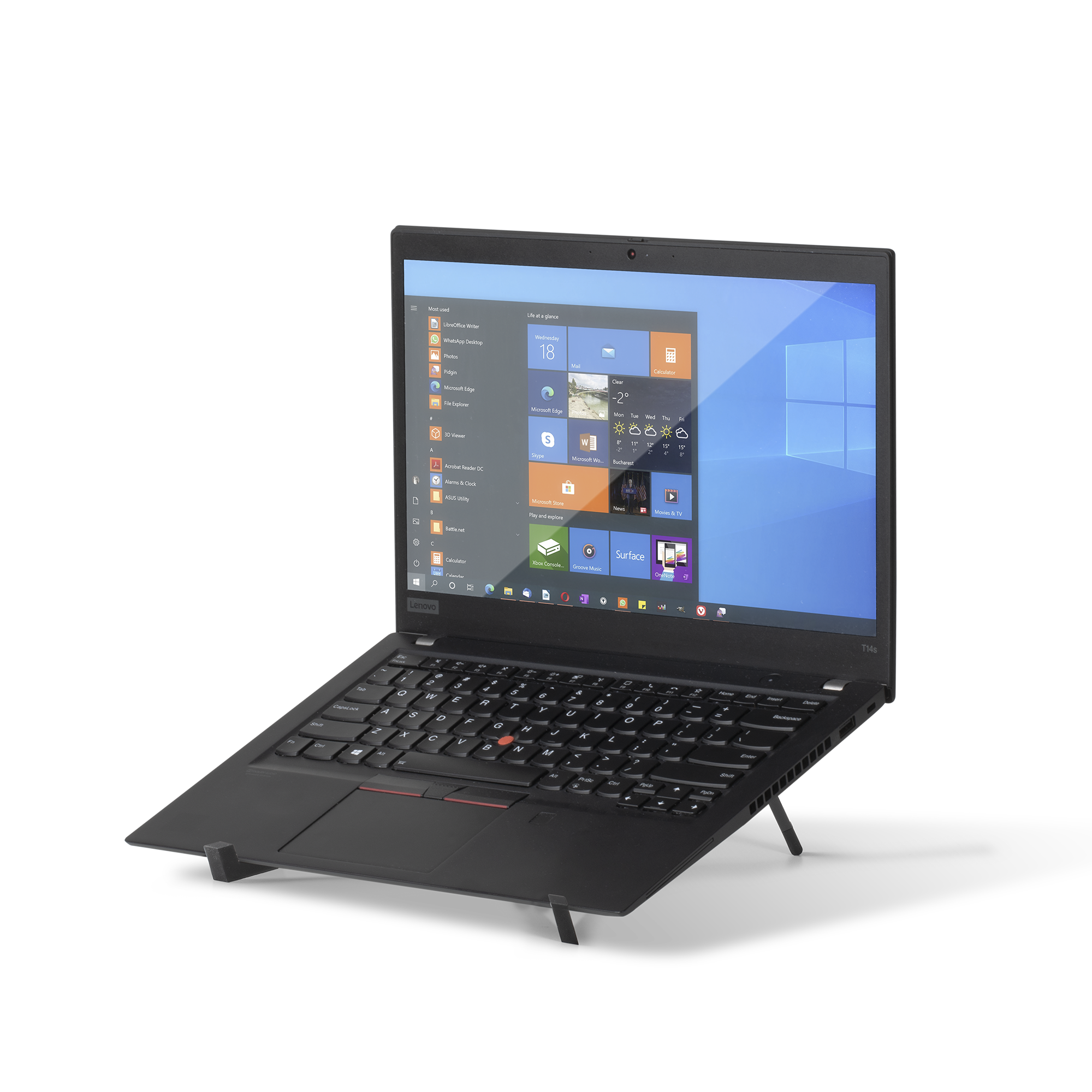
Your needs, this model
Does it fit your priorities?
Can I carry the Fold stand between desks?
Native Union describes it as a lightweight, ultra-slim, flat-folding stand and lists a carry pouch. However, the specification line says both 6.86 oz and 72 g, which are not equivalent; do not plan a weight-sensitive kit around either figure until the manufacturer clarifies it.
Explore this need in the finder →Does it raise the screen to different heights?
No height range is documented. Native Union describes a fixed 15-degree laptop angle and a stand that folds for packing; folding for storage is not height adjustment. Leave the height-adjustment requirement open or choose a different reviewed model if changing the working height is essential.
Explore this need in the finder →Which laptop sizes and loads are covered?
The manufacturer lists 13–16-inch MacBooks and other 13–16-inch laptops, a 3 kg maximum, and no chassis-footprint chart. It also covers 10.2–16-inch tablets, but check laptop feet, case width and how the device rests on the cross-support; its setup note says to expand it fully to reduce scratching risk.
Explore this need in the finder →Native Union’s Fold Laptop Stand is an independent aluminum support that packs away rather than staying attached to the laptop. The manufacturer describes a cross-structure, a fixed 15-degree viewing angle, a carry pouch and compatibility with 13–16-inch laptops up to 3 kg. This assessment draws on the current product page and product data; it is not based on hands-on use. The model’s core tradeoff is simple: it offers a separate folding support and a low fixed incline, not a stand whose height changes as the work surface or user changes.
A fixed-angle portable stand
The Fold stand supports an open laptop on an independent frame. It folds flat, and the manufacturer says a pouch is included. Unlike the much heavier Desk Laptop Stand, it does not add a weighted base or tray to the desk. Unlike the Rise stand, it does not use adhesive on the laptop underside. That makes it easier to use with different devices, but the support still needs to be carried and set up separately each time.
Native Union describes one 15-degree laptop viewing angle. No height-adjustment mechanism or adjustable-angle range is documented. Folding is for storage and packing; it should not be read as a way to tune screen height. A fixed incline can work when the user wants the same low raise on each surface, but it is not a match if changing the display position is an essential requirement. The laptop’s own hinge still sets the display angle, and the device remains open on the stand.
Compatibility has both a size and a load limit
The manufacturer lists 13–16-inch MacBooks and other 13–16-inch laptops, along with 10.2–16-inch tablets, and gives a maximum load of 3 kg. The page does not provide a width/depth compatibility chart or identify how the laptop’s feet must line up with the cross-support. Diagonal size is not the same as base geometry: verify your specific laptop’s bottom width, rubber feet, case thickness and the contact points on the stand before ordering. A device within the screen-size range can still be a poor physical fit.
There is also a setup caution that matters more than the polished product imagery: Native Union tells users to expand the stand to its maximum to prevent potential scratching. Follow the exact setup instruction rather than placing a laptop on a partially opened frame. No independent scratching, stability or cooling test is claimed here. The product page says its thin form improves airflow; treat that as a manufacturer design claim, not evidence that a particular laptop runs cooler.
Portable, but the published weight conflicts
The page lists dimensions of 11.81 by 0.59 by 1.06 inches, but does not clearly identify which measurements describe the deployed support and which describe the packed configuration. It also lists a carry pouch without giving its dimensions. Most importantly, one specification line pairs “6.86 oz” with “72 g.” Those figures do not agree. The listing should not be silently corrected: ask Native Union which weight is accurate if a few ounces matter to your bag plan. The reliable conclusion is that the stand folds and a pouch is listed; the exact packed size and settled weight remain unknown.
The available finish options are Black and Sandstone. The product data identifies them separately as FOLD-STAND-BLK-RP and FOLD-STAND-SAN-RP. The reviewed sources do not show a mechanism change by finish. Check the exact color and package in the seller offer, especially whether the pouch is included in the particular listing.
Fold versus Rise and the desk models
Fold is the independent option when you do not want adhesive left on the laptop. Rise is thinner and stays attached, but its support is conditional on underside vents and fans; Fold avoids that attachment constraint and explicitly lists 13–16-inch laptops. The tradeoff is that Fold must be carried separately and still has a fixed angle. Native Union’s Desk Laptop Stand and Desk Laptop Stand Wood can change height and angle, but their weighted bases are over a kilogram and their pack dimensions are not published. Those distinctions matter more than a broad label such as “portable.”
Who should compare it
Fold is worth comparing for a user who moves between desks, wants a stand that folds into a separate pouch, and is comfortable with the 15-degree support angle and 3 kg ceiling. It is not the clear choice for a laptop heavier than 3 kg, a device outside the listed diagonal range, variable stand height, an attached always-on design, or a known packed-weight requirement until the manufacturer clarifies the mismatch. Check the laptop’s exact footprint and expand the frame fully. The assessment is based on current primary specifications and does not claim the author has carried, adjusted or tested the product.
Key specifications
Key details at a glance
| Height-adjustable | No |
|---|---|
| Folds for storage | Yes |
| Swivel base | No |
| Supported placement | desk |
Use the exact model’s instructions for operating limits, supplied equipment and version differences.
Sources for this review
Sources for this assessment
Compare the setup, not just the silhouette
Use the finder to compare reviewed stands against the way you work and the features you actually need.