
Your needs, this model
Does it fit your priorities?
What height and tilt range does the K50424WW support?
Kensington lists stepless height adjustment from 5.9 to 7.9 inches (151–200 mm) and tilt from 0 to 45 degrees. Those are stand settings, not a promise of a particular screen-top position with your laptop. The page says height and tilt can be adjusted without tools, while the installation guide shows a 3 mm hex key used to assemble the stand.
Explore this need in the finder →Does K50424WW fit a 16-inch laptop or an 8 kg computer?
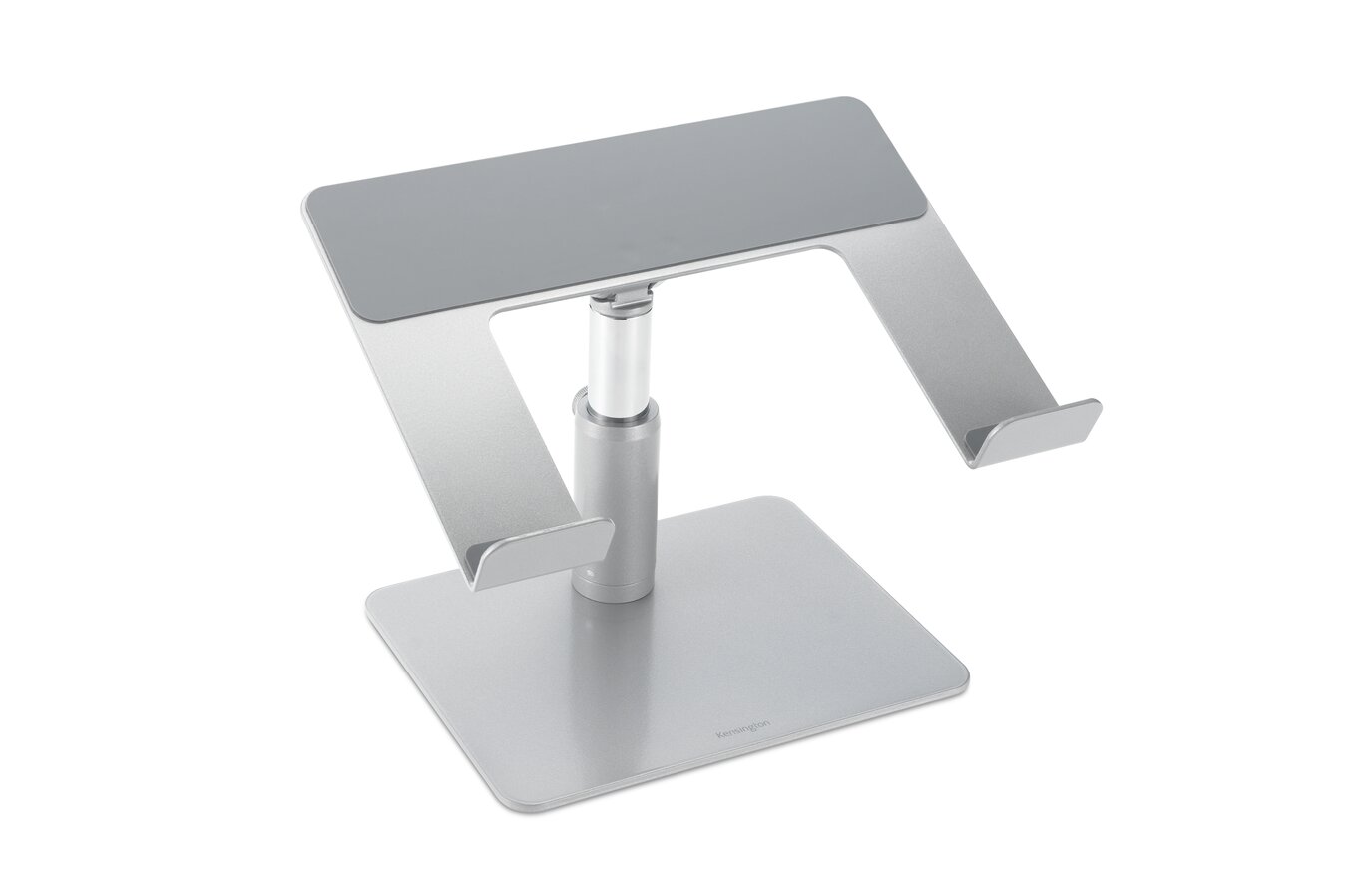
Kensington states support for laptops up to 16 inches and a maximum load of 8 kg (17.6 lb). These limits are separate from the laptop's chassis dimensions: check the base, feet, hinge and any case against the 280 × 210 mm platform, then confirm that the device mass stays below 8 kg. The product image shows no laptop and does not demonstrate fit.
Explore this need in the finder →Is K50424WW a current Kensington product?
Kensington's U.S. page says the model is no longer available and marks the SKU as discontinued. It also contains generic commerce markup, so this assessment makes no current availability or price claim. A third-party listing should be checked for the exact K50424WW model, complete assembly hardware, condition, returns and warranty. Lenovo item 78813312 has the same product title but does not show a manufacturer-code crosswalk, so the codes are kept distinct.
Explore this need in the finder →The Kensington Universal Tabletop Laptop Riser K50424WW is an earlier desk stand with continuous adjustment rather than preset notches. Kensington specifies a 5.9–7.9-inch height span and a 0–45-degree tilt range, with an 8 kg stated maximum load. The model is a substantial silver steel-and-aluminum platform: the product sheet lists 2.52 kg and an 11 × 8.3 × 9-inch overall dimension group. Those are useful comparison points, but the manufacturer does not provide a laptop-by-laptop fit chart.
Continuous positioning, with two separate adjustments
Kensington describes the column height as stepless from 5.9 to 7.9 inches (151 to 200 mm) and the platform angle as variable from 0 to 45 degrees. That is different from a stand with a small number of fixed grooves. You can compare a lower, flatter setup with a higher, more inclined one without being limited to a preset count. The documentation does not specify the exact screen-top position produced at each combination, though. Laptop base depth, hinge geometry and the chosen angle all affect where the display ends up.
The product page says adjustment requires no tools. Initial assembly is a separate matter: the installation guide shows the base, center post and upper laptop platform joined with seven M5 × 10 screws using a 3 mm hex key. The pictures show a broad base resting on the desk and a central column, not a desk-edge clamp. There is a small documentation ambiguity worth keeping visible: the technical sheet labels its unit dimensions “C-clamp pre-installed,” yet the installation sequence depicts the free-standing base assembly and does not show a clamp. If mounting hardware is essential, confirm the package and mounting method rather than inferring one from that label.
Broad support and a heavy base have consequences
The stated platform dimensions are 280 × 210 mm (about 11 × 8.3 inches), within an overall 280 × 210 × 229 mm dimension group. Kensington says the open design promotes airflow, the underside leaves room for peripherals, silicone pads help protect the laptop, and a front safety ledge helps keep it in place. These are design descriptions, not independent demonstrations of cooling, scratch protection or stability. Check the laptop's actual width, depth, foot locations, case edges and hinge clearance against the platform before treating a “up to 16-inch” diagonal statement as a fit guarantee.
The maker's weight limit is 8 kg (17.6 lb), but load capacity does not answer whether a particular chassis is properly supported. A laptop that meets the mass limit may still have feet that land near an edge or an unusual bottom shape that conflicts with the ledge. Conversely, the 2.52 kg stand itself takes more desk mass and volume than a thin folding support. Its product dimensions describe the assembled unit; the sources do not provide a packed bag envelope or say that the stand folds for transport. This is a desk-oriented choice, not a documented commuter stand.
Lifecycle and current listings
Kensington's U.S. product-page text says the product is no longer available and identifies K50424WW as a discontinued SKU. The page's raw commerce markup also contains generic price and availability fields, so this review does not interpret those fields as proof of current stock or quote a price. This model is retained as an earlier reference. A remaining independent listing would need to identify the exact K50424WW code, state its condition and include the parts needed for assembly; warranty and return coverage should also be checked directly with the seller.
Lenovo U.S. separately displays a similarly titled “Kensington Universal Tabletop Laptop Riser” under retailer item 78813312. The Lenovo endpoint does not expose Kensington code K50424WW, so the retailer number and maker part number remain distinct in this research. The title is a useful source bridge for observing the item, but it does not justify silently converting 78813312 into a manufacturer SKU or claiming that every listing package is interchangeable.
What the specifications do and do not tell you
The best reason to compare K50424WW is its broad continuous range: a modest 5.9-inch minimum rise, an upper 7.9-inch setting and adjustable tilt from level to 45 degrees. Its steel-and-aluminum construction, 8 kg load statement, large base and open support area distinguish it from compact folding models. The same design also weighs 2.52 kg, lacks a published packed size and is identified as discontinued. This is not a universal answer for someone who only knows their laptop's screen diagonal.
Before choosing an older example, measure the laptop base and desk, confirm where the feet land, decide whether the intended screen height can be reached within the stand's actual range, and verify the exact model and supplied assembly parts. Treat the manufacturer's 16-inch and 8 kg limits as separate boundaries. Ask about the unclear clamp wording if mounting details matter.
Evidence boundary
This review draws on Kensington's K50424WW product page, technical sheet and illustrated installation guide, plus Lenovo's exact U.S. retailer page for item 78813312. The public image shows the stand without a computer. No physical testing, measuring, ownership or hands-on fit check is claimed. The sources support the listed material, adjustment ranges, weight, load and assembly layout; they do not establish exact fit for every 16-inch laptop, current seller inventory, or the final screen position for an individual user.
Key specifications
Key details at a glance
| Height-adjustable | Yes |
|---|---|
| Folds for storage | No |
| Swivel base | No |
| Supported placement | desk |
Use the exact model’s instructions for operating limits, supplied equipment and version differences.
Sources for this review
Sources for this assessment
- Kensington U.S. Universal Tabletop Laptop Riser page, K50424WW
- Lenovo U.S. retailer item 78813312; Kensington Universal Tabletop Laptop Riser
- Kensington Universal Tabletop Laptop Riser product sheet, K50424WW
- Kensington Universal Tabletop Laptop Riser installation guide, K50424WW
- Kensington exact K50424WW product image

Compare the setup, not just the silhouette
Use the finder to compare reviewed stands against the way you work and the features you actually need.