
Your needs, this model
Does it fit your priorities?
Does this fit every Surface or Windows tablet?
No. Kensington names Surface Pro 7, 7+, 8, 9, 10 and 13-inch plus Surface Go 2, 3 and 4. Check the specific model and its built-in kickstand; the list does not establish every Surface generation or another brand.
Explore this need in the finder →Can I change its height?
No height range is listed: the stand’s stated 320 mm height is fixed. The adjustable feature is tilt.
Explore this need in the finder →Can it travel?
It folds and includes a carry bag, but Kensington does not state the packed bag dimensions. Check bag clearance and the required Surface kickstand setup.
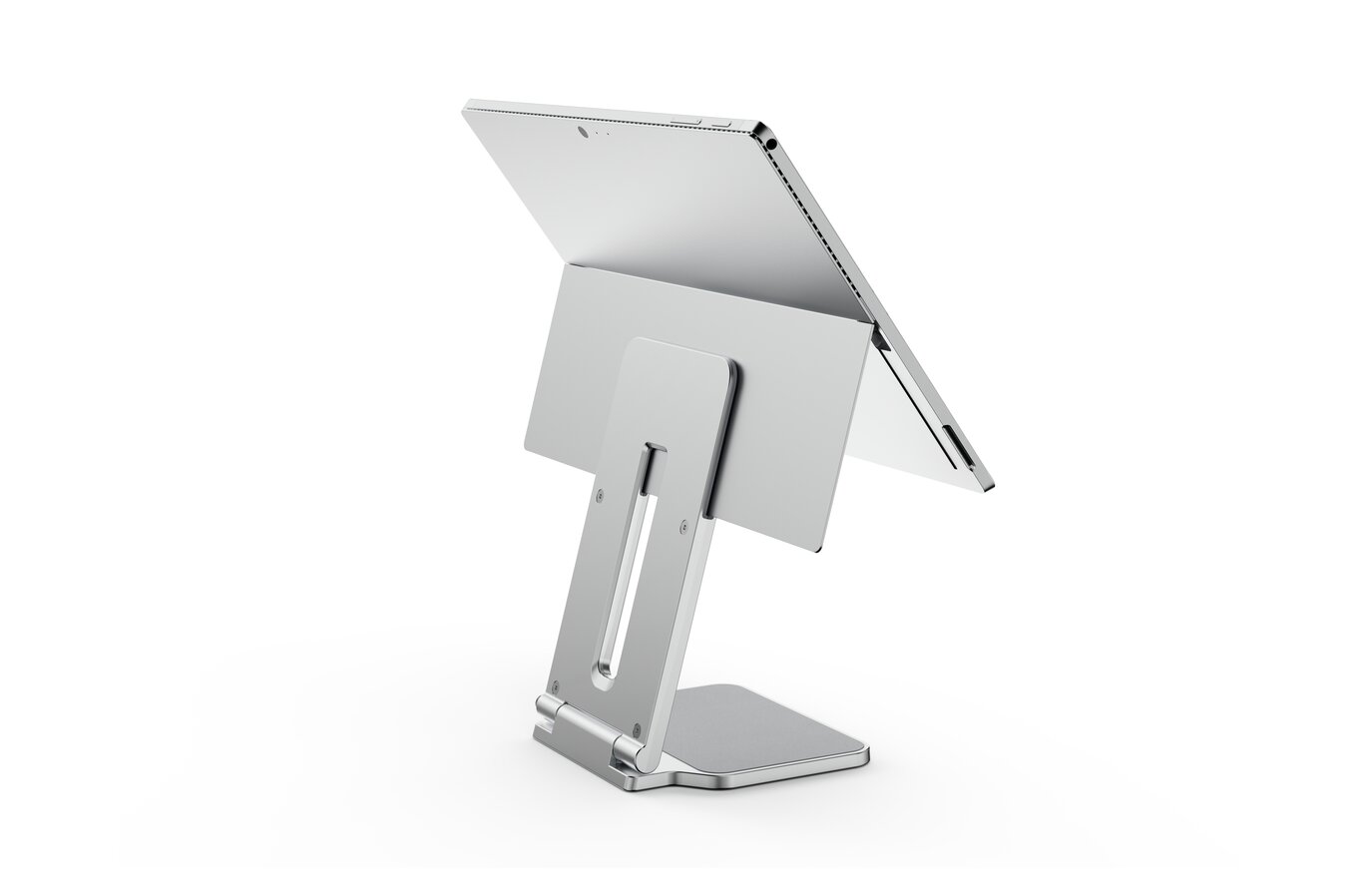
Explore this need in the finder →The Kensington Elevated Stand for Surface K58277WW is a folding elevation stand for a named set of Surface devices, not a generic laptop riser. Kensington lists a fixed stand height of 320 mm (12.6 inches), adjustable tilt and a carry bag. Those functions should not be conflated: the device can tilt on a stand whose vertical height is fixed. The instructions also rely on the Surface's own built-in kickstand to engage a slot at the top of the support.
Compatibility is model-specific
Kensington names Surface Pro 7, 7+, 8, 9, 10 and 13-inch models, along with Surface Go 2, 3 and 4. Check the exact generation, screen size and kickstand on your device; a match to the Surface family name alone is not sufficient. The product guide's assembly illustration shows the built-in kickstand placed into the stand's top slot, which is a key part of the support arrangement. A tablet without that mounting feature is not shown as compatible.
This model is not a padded universal tray that can be assumed to support a MacBook, Chromebook or arbitrary tablet. The manufacturer list is the usable starting boundary. If your exact computer is not listed, look for a product-specific compatibility source before treating it as a candidate. The promotional photograph may show a Surface on the stand, but the image cannot extend the named compatibility list.
Fixed elevation with tilt and fold-away storage
The documented 320 mm stand height provides one elevated position. Tilt settings change the display angle, not the height range, so anyone who needs to tune vertical screen position should not interpret this as a height-adjustable column. Kensington's guide depicts the stand folding and being placed in its carry bag, making travel more plausible than for a fixed desktop riser. However, no packed dimensions are given; compare the folded stand and bag to your own luggage before relying on portability.
The intended setup uses the device's own keyboard only as a touchscreen/Surface arrangement, or the owner's external keyboard if the computer is raised for desk typing. Kensington lists a separate optional security lock. If theft deterrence is important, verify that a lock is supplied or budget and fit the correct separate lock rather than assuming it is part of the stand.
Earlier-model checks
The exact U.S. page says this model is no longer available. For a remaining unit, verify that it is K58277WW, that the carry bag and all support pieces are present, and that the product has not been confused with another Surface stand. Confirm the listed generation, built-in kickstand condition and screen size of your device. Ask about return coverage if the fit depends on a particular kickstand or case.
Evidence boundary
This review uses the Kensington U.S. page, the matching product sheet, and the illustrated installation guide. These sources support the named device list, fixed stand height, tilt, folding arrangement and kickstand-slot use. They do not establish fit for unlisted devices, a user-specific final screen height, bag clearance or current seller inventory. No hands-on assembly, measurement or device-fit test is claimed.
Key specifications
Key details at a glance
| Height-adjustable | No |
|---|---|
| Folds for storage | Yes |
| Swivel base | No |
| Supported placement | desk |
Use the exact model’s instructions for operating limits, supplied equipment and version differences.
Sources for this review
Sources for this assessment
Compare the setup, not just the silhouette
Use the finder to compare reviewed stands against the way you work and the features you actually need.